KherveBook
AvailableA computational notebook — and the future home of every Kherve tool.
A Jupyter-inspired computational notebook as a native desktop app. One document mixes Python code cells run in a live kernel with inline matplotlib figures, rendered Markdown, and LaTeX equations. KherveBook is the hub of the family: over time every Kherve application will live inside it as one workspace.
Attributes
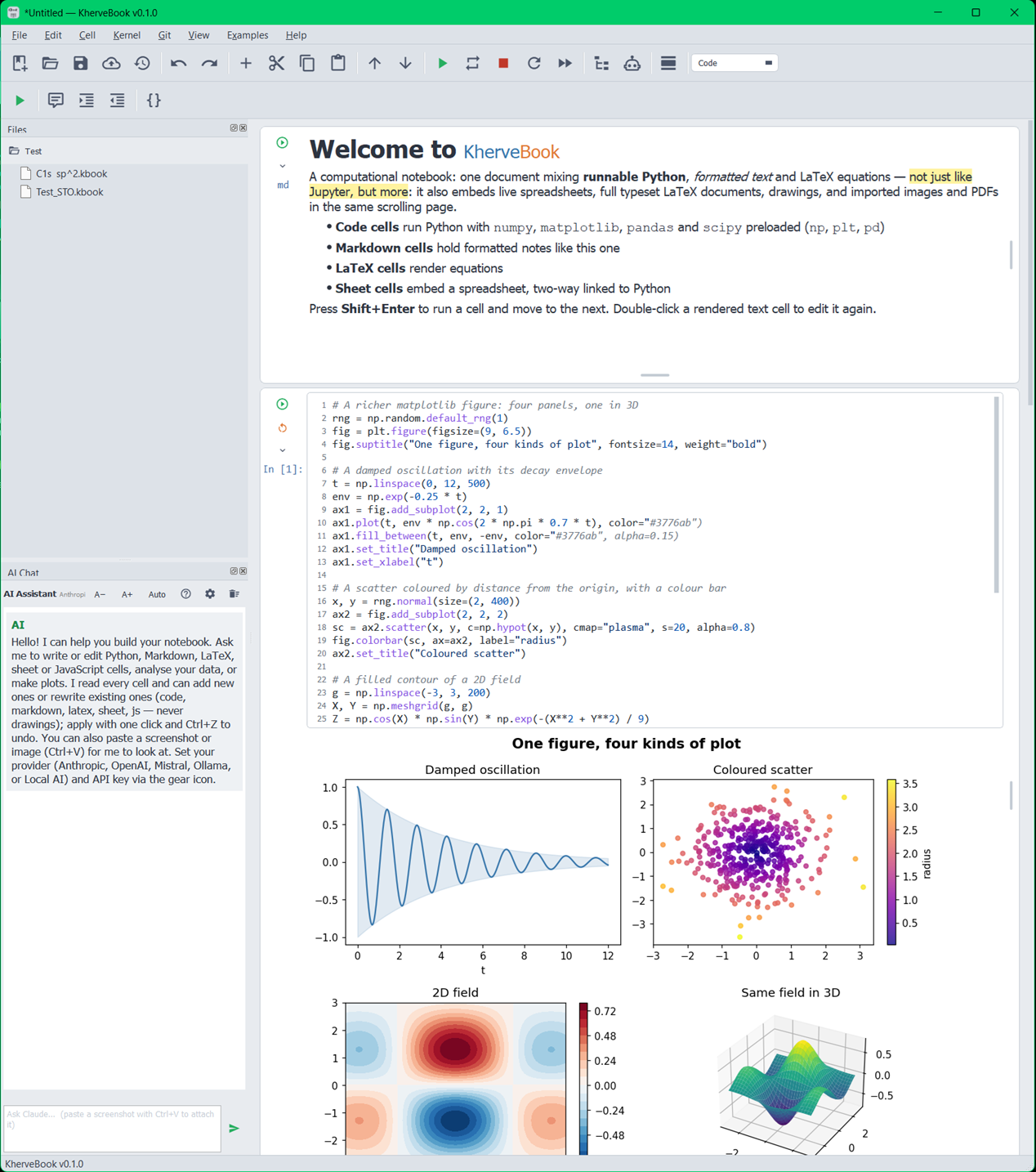
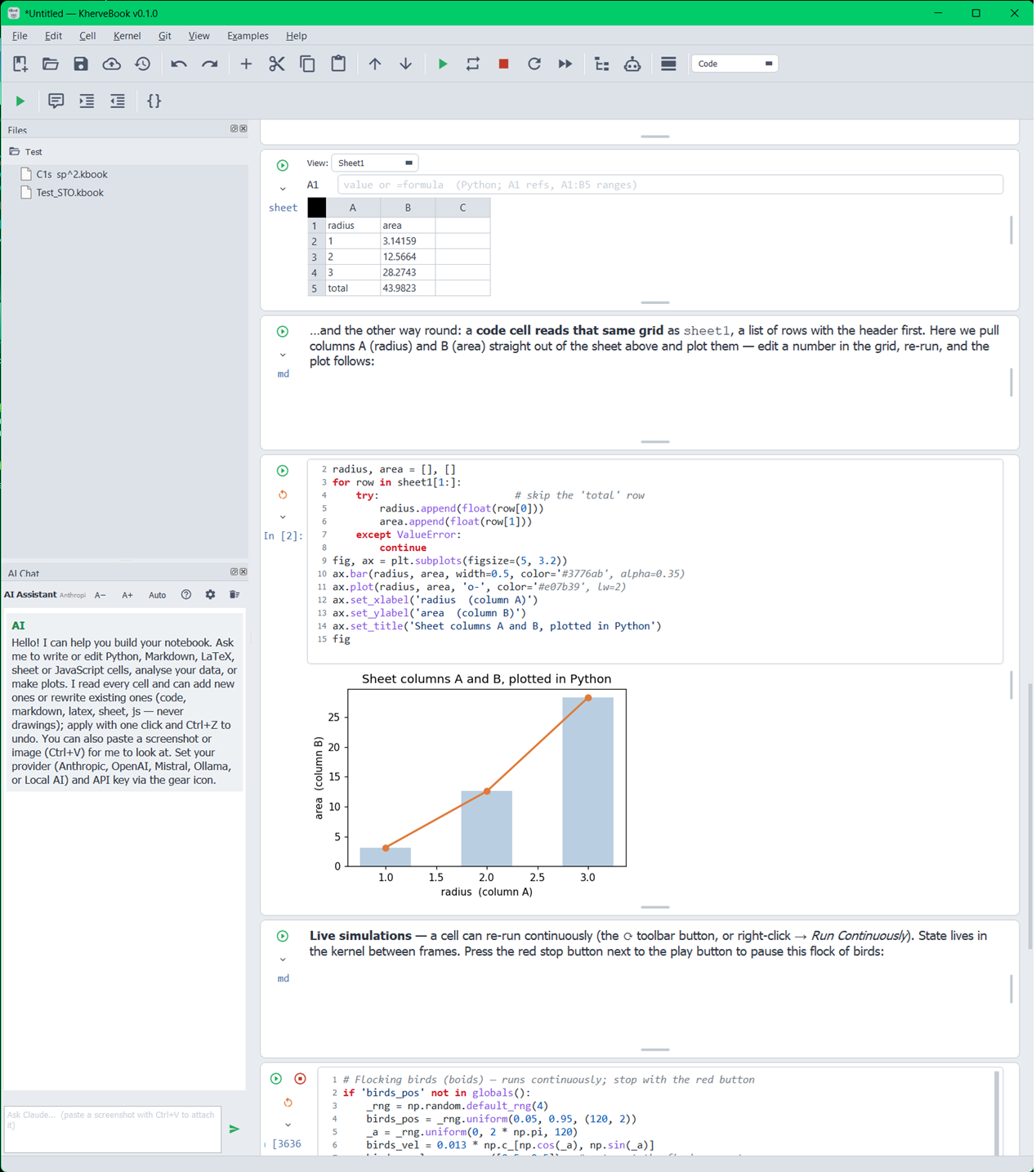
- Python code cells executed in a shared in-process kernel, with In [n] counters and stdout/stderr capture
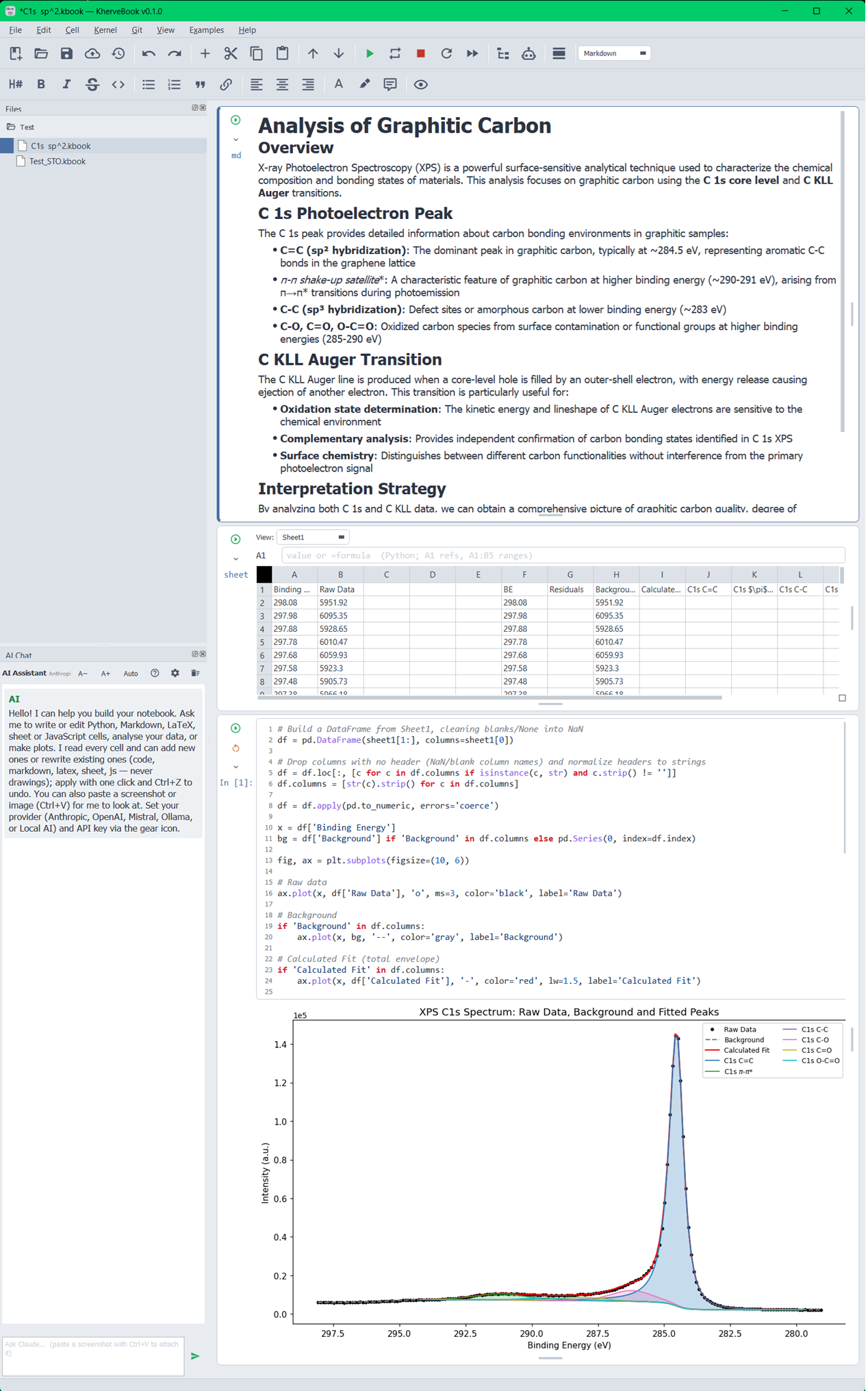
- Inline matplotlib figures rendered directly under the cell that produced them
- Markdown cells for rich text — double-click to edit, Shift+Enter to render
- LaTeX cells rendered as equations
- Jupyter-style echo of the trailing expression in a code cell
- Drop an Excel workbook (.xlsx / .xlsm) straight into a sheet cell
- Documents saved as .kbook — a plain, inspectable JSON format
- Compiled LaTeX rendering through the tectonic engine
AI built in
A built-in AI chat assistant lives in the notebook — pick a provider, ask questions about your analysis, and work through problems next to your code and figures.
Built with
A modern stack of well-known scientific Python libraries.
Examples
- ARPES — band maps, cuts, hv scans, self-energy analysis
- XPS — peak fitting, quantification, advanced workflows
- XRD — diffraction patterns and refinement examples
- Spectroscopy — NMR, FTIR, EELS, EDX, SIMS
- Thermal & surface analysis — TGA, BET
- LaTeX, SVG, and spreadsheet-cell examples
Documentation
Getting started
Install the requirements with pip install -r requirements.txt, then run python KherveBook.py. A new document opens with an empty code cell: type Python, press Shift+Enter to run the cell and move to the next one.
Cells
Three cell types can be mixed freely in one document. Code cells run in a shared in-process kernel, so variables persist between cells like in Jupyter. Markdown cells render as rich text — double-click one to edit its source. LaTeX cells render equations.
File format
Documents save as .kbook, a plain JSON serialisation of every cell and its outputs — friendly to version control and scripting. Nothing is hidden in a binary container.
The example gallery
The Examples menu ships dozens of ready-to-run notebooks across ARPES, XPS, XRD, NMR, FTIR, SIMS, TGA, BET, EDX and EELS — open one and run it cell by cell to learn the workflow for your technique.
Versions
Note (rich-text) cells and File-attachment cells with inline previews for xlsx, ksheet and kfit; SVG drawing tools with grid and snap that open in KhervePaint; open code in KhervePY and sheets in KherveSheet with reload-on-save; and Help ▸ Report an Issue.
A Jupyter-inspired computational notebook as a native desktop app.
Part of the Kherve Tools family
Applications made by a scientist, for scientists.