Scientific desktop apps
Kherve Tools — applications made by a scientist, for scientists.
Yes, just the one. It turns out you don't need a big team to build good tools — you need a scientist who got tired of the alternatives.
A growing family of scientific desktop applications, written in Python: XPS peak fitting, LaTeX-quality documents and slides, a scientific spreadsheet, PDF annotation, drawing, plotting, and a computational notebook that brings it all together — tools built in the lab, for the lab.
The Kherve Tools suite
Each slice is an application; hover to preview it, click to open its page. At the centre sits KherveBook — the computational notebook that will eventually host all the Kherve applications in a single workspace.

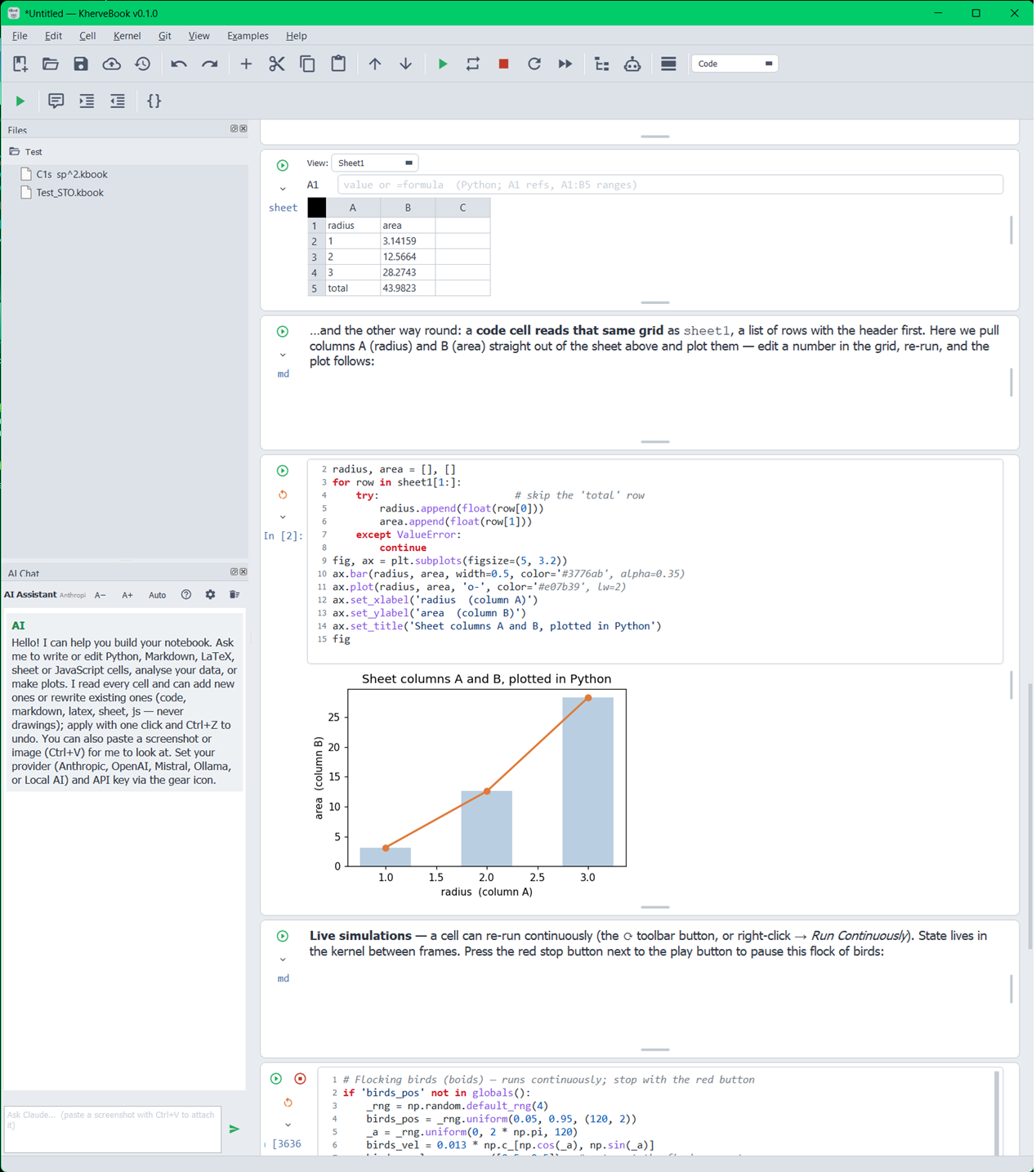
KherveBook
AvailableA computational notebook — and the future home of every Kherve tool.
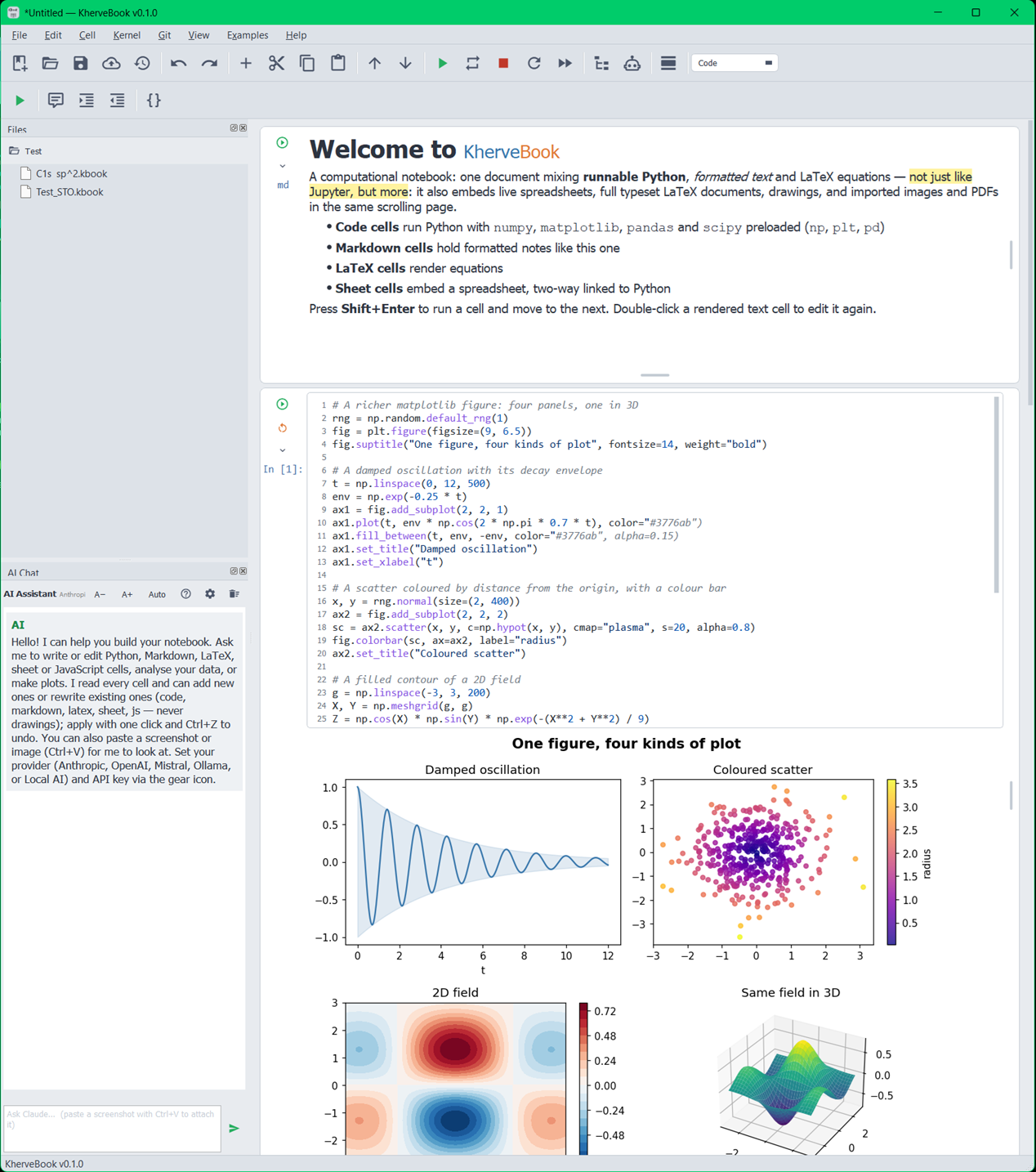
A Jupyter-inspired computational notebook as a native desktop app. One document mixes Python code cells run in a live kernel with inline matplotlib figures, rendered Markdown, and LaTeX equations. KherveBook is the hub of the family: over time every Kherve application will live inside it as one workspace.
The tools
Each application stands on its own — same Python stack, same philosophy, same author. The ones marked “coming soon” are already in development.
KherveBook
AvailableA computational notebook — and the future home of every Kherve tool.
A Jupyter-inspired computational notebook as a native desktop app. One document mixes Python code cells run in a live kernel with inline matplotlib figures, rendered Markdown, and LaTeX equations. KherveBook is the hub of the family: over time every Kherve application will live inside it as one workspace.
Open the KherveBook page
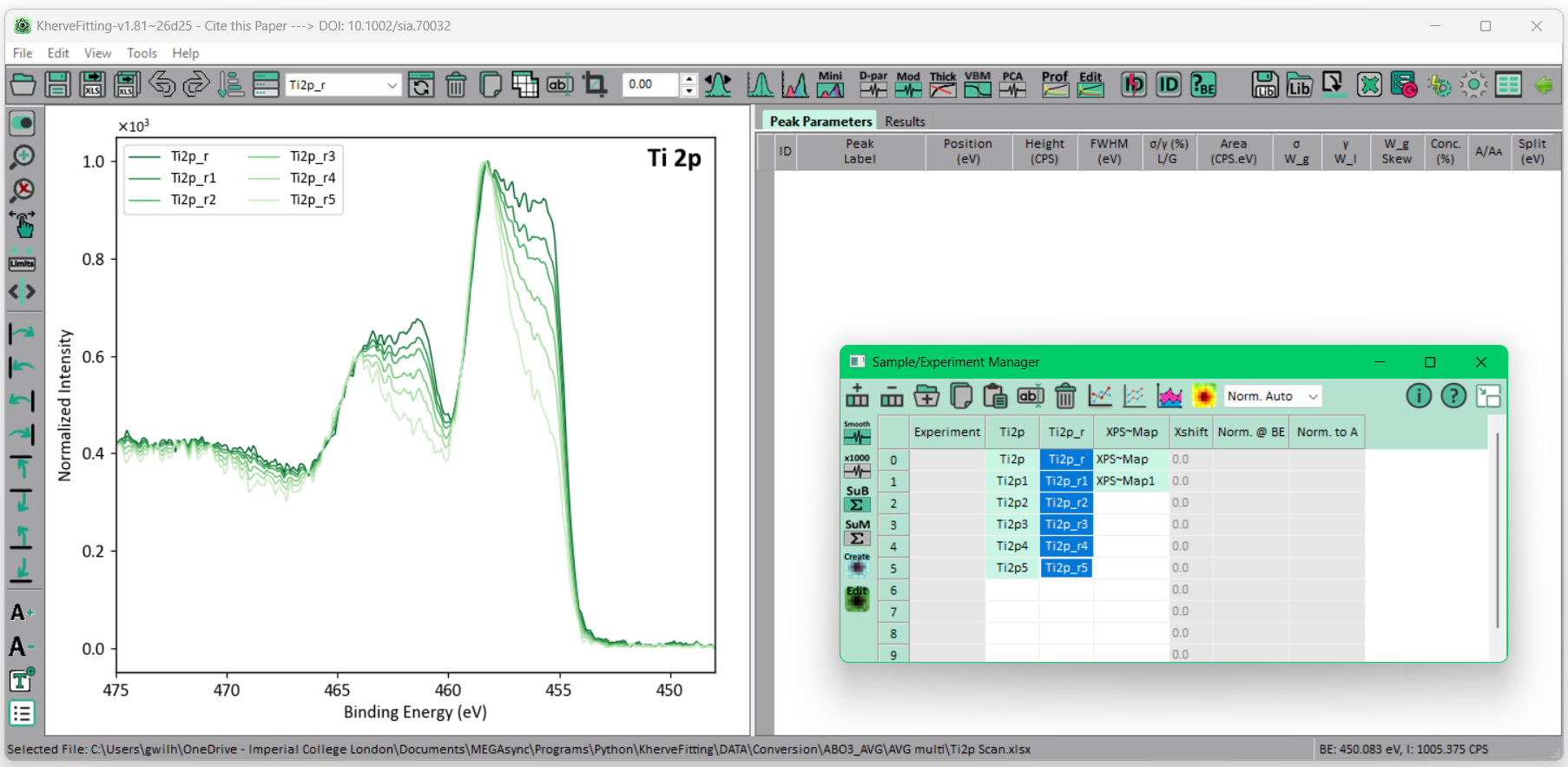
KherveFitting
AvailableOpen-source XPS peak fitting, elegant and simple to use.
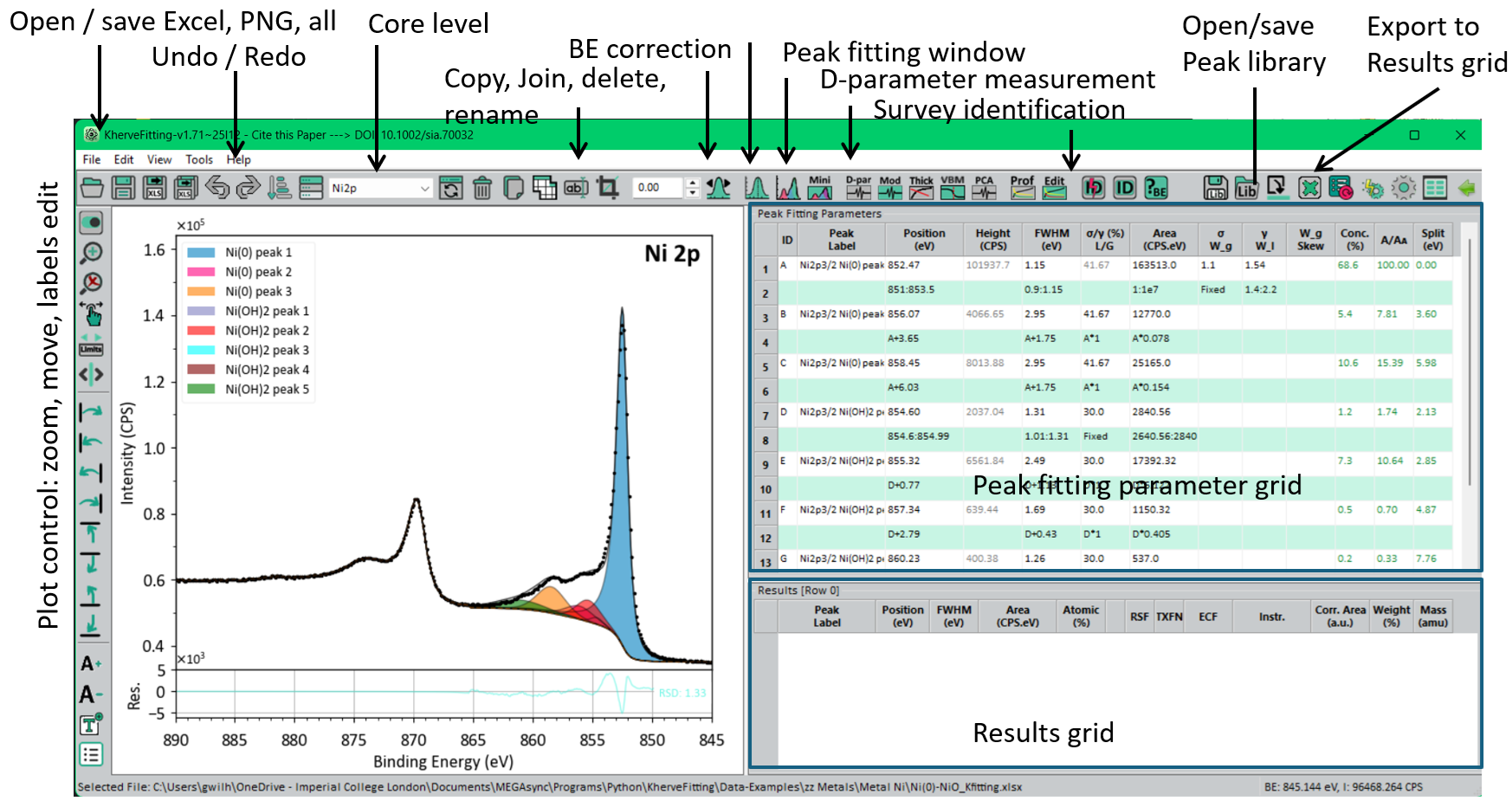
Peak fitting for X-ray photoelectron spectroscopy (XPS) data. Multiple background subtraction methods, a full set of peak models, automated multi-peak fitting with constraints, depth profiling, and PCA — a freely available alternative to commercial XPS packages.
Open the KherveFitting page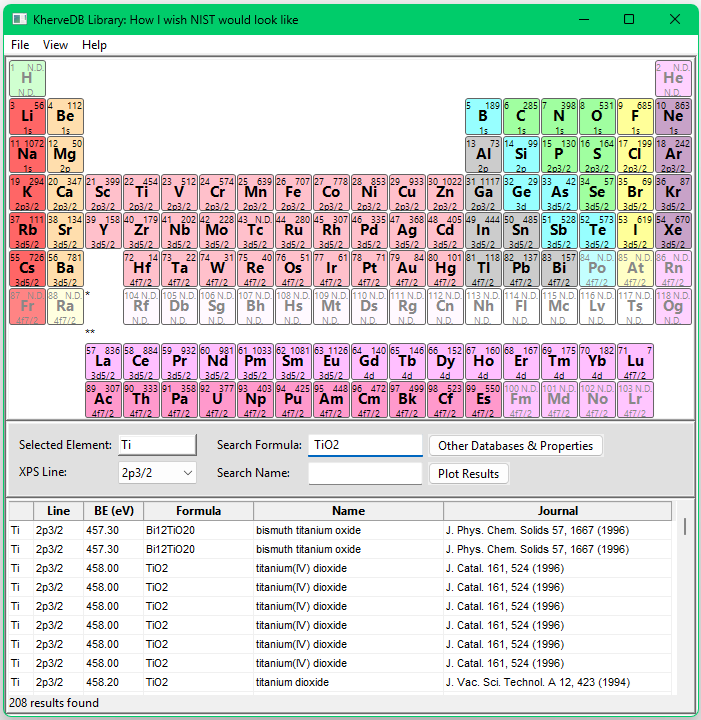
KherveDB
AvailableThe NIST XPS binding-energy database, preserved and searchable.
The complete NIST X-ray Photoelectron Spectroscopy binding-energy database (archived in 2019) behind a colour-coded periodic table. Click an element to list its entries, right-click it for its electronic structure, XPS peak positions, spin-orbit splitting and common overlaps, and open a tabbed browser on XPS Fitting, Harwell XPS Guru, Thermo Knowledge and Google Scholar that follows the element you select. Version 5 is rewritten in React and Tauri: a 4 MB installer that starts instantly, and also runs in the browser.
Open the KherveDB page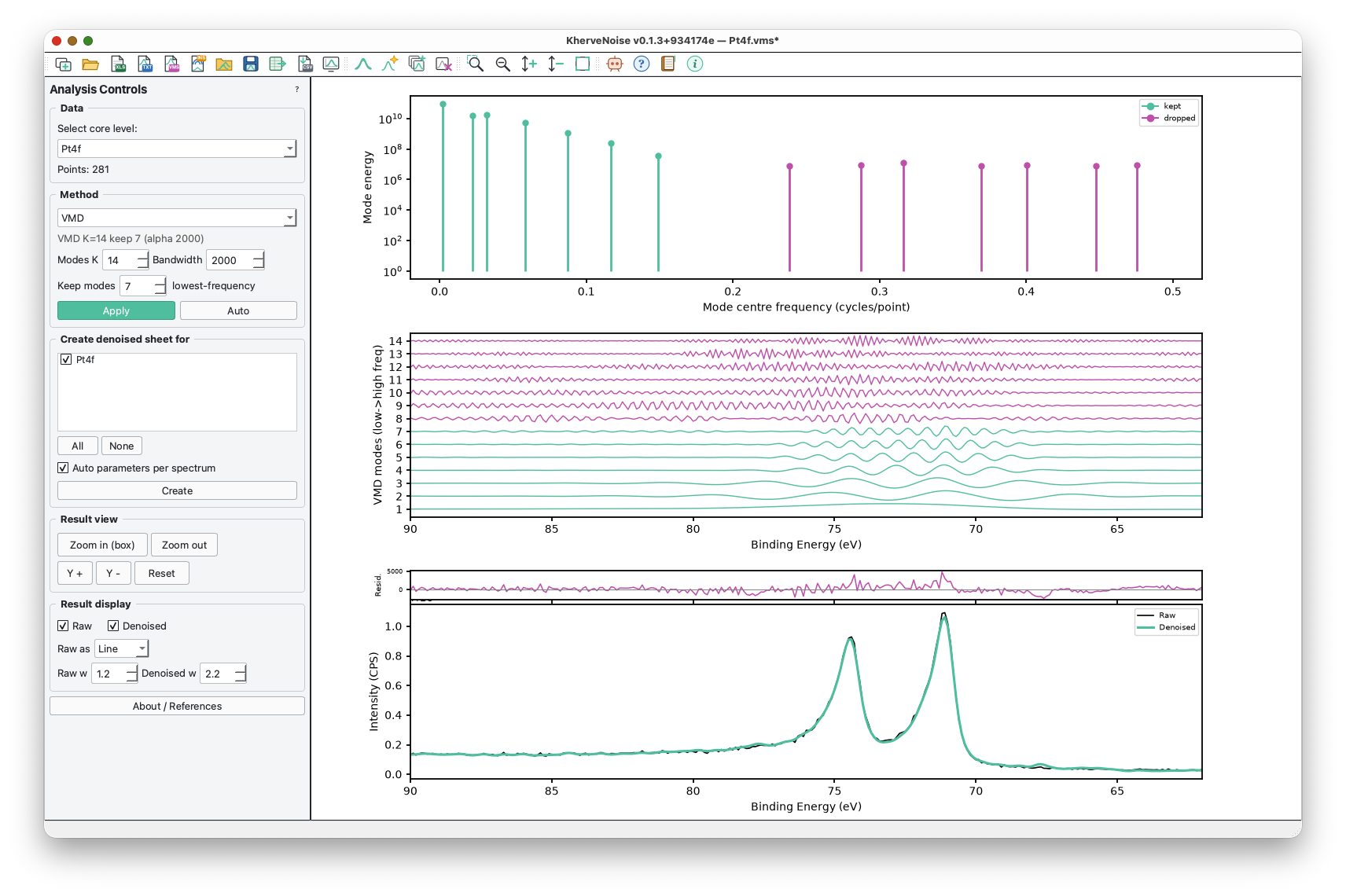

KherveNoise
AvailableRemove noise from a spectrum — and see exactly what was removed.
Spectral denoising for spectroscopy with no training data: Variational Mode Decomposition, wavelet shrinkage and an FFT low-pass filter, each with a live view of what it keeps and what it throws away, and an Auto rule that tunes it to the spectrum's own noise floor. It is KherveFitting's Spectral Denoising tool as an app of its own — the same methods, controls, plots and numbers — for XPS, Raman, FTIR, XAS, EELS and any other spectrum. Import Excel, VAMAS and the instrument formats KherveFitting reads, denoise one spectrum or a whole folder, and export straight back to a KherveFitting workbook for peak fitting.
Open the KherveNoise page
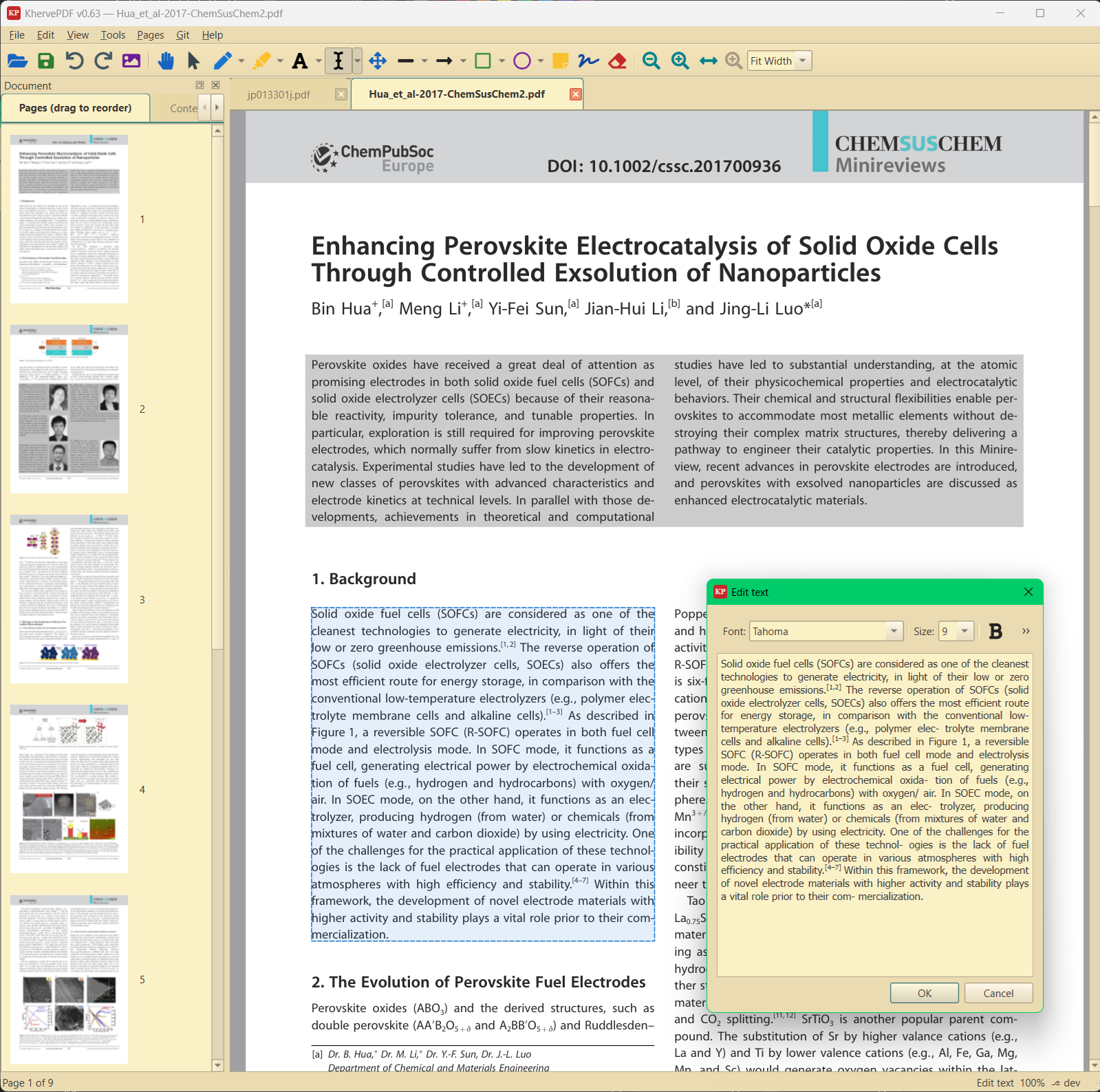
KhervePDF
AvailableA PDF viewer and annotation editor with built-in Git history.
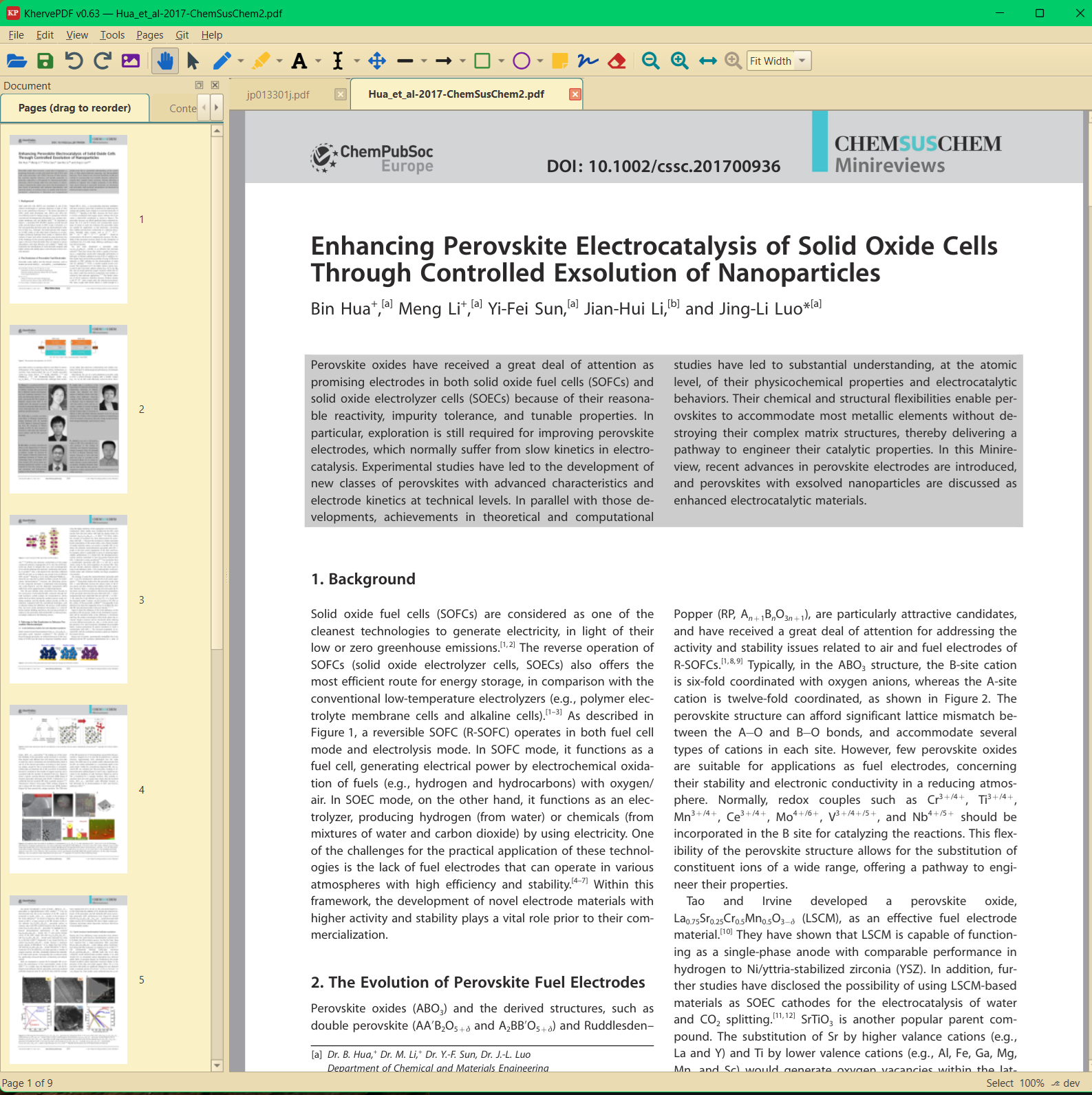
Tabbed PDF viewing with a full annotation toolbox — pen, highlight, text, arrows, shapes, sticky notes, signatures, redaction — plus page operations (merge, split, rotate, reorder), form filling, and text search. Every document gets its own Git repository with auto-commit and a history browser.
Open the KhervePDF page
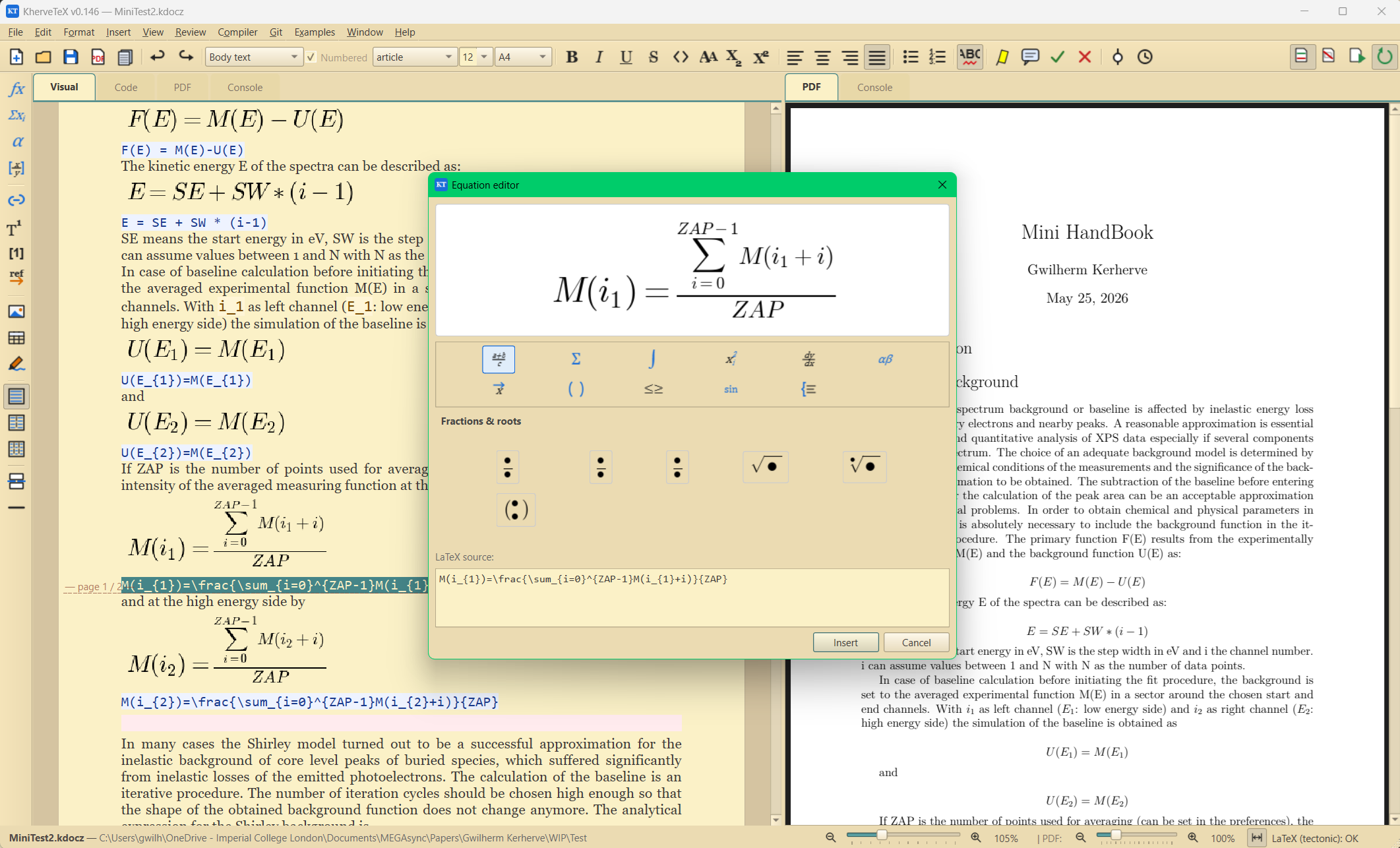
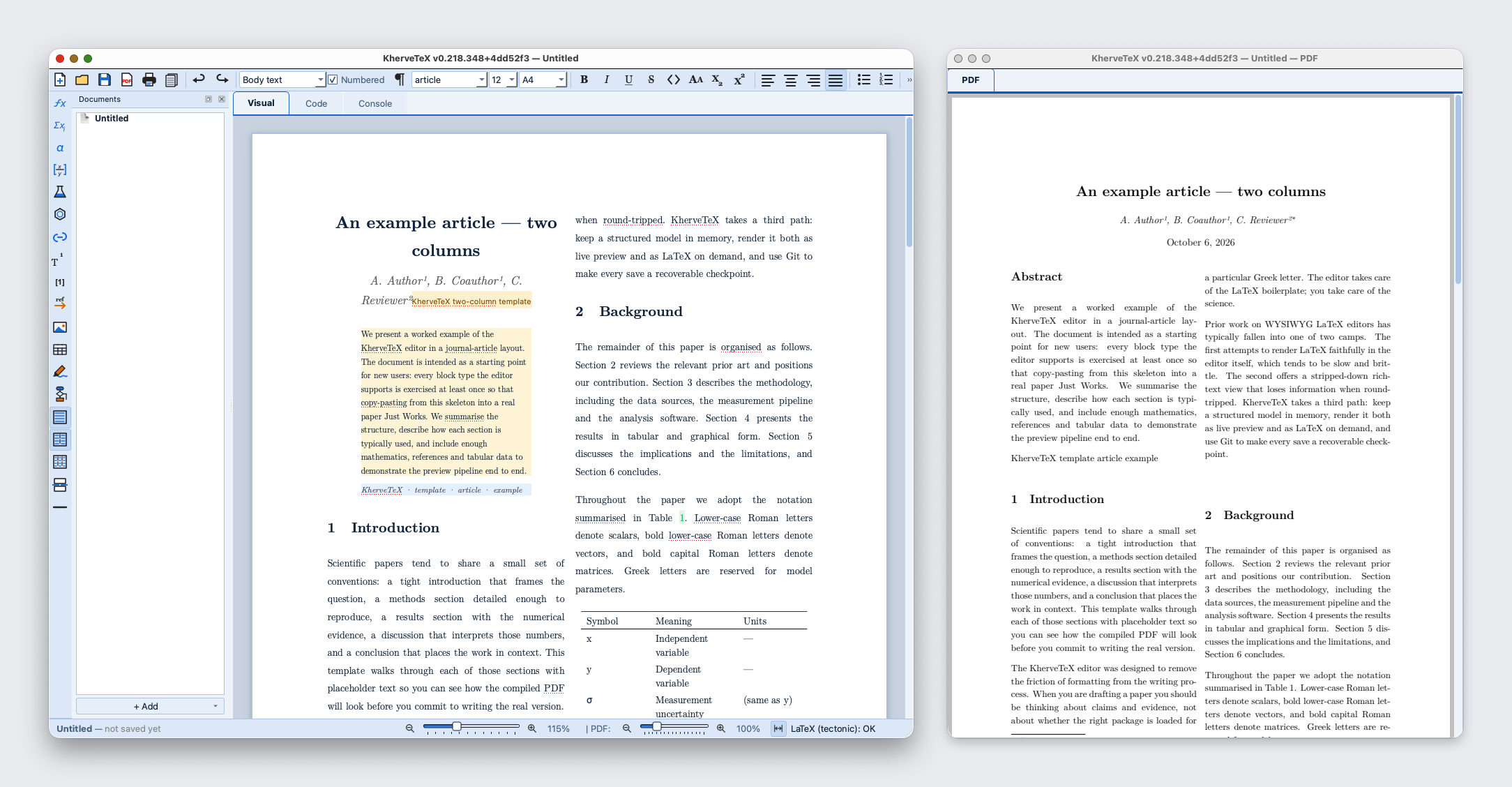
KherveTeX
AvailableWYSIWYG document editing that produces beautiful LaTeX PDFs.
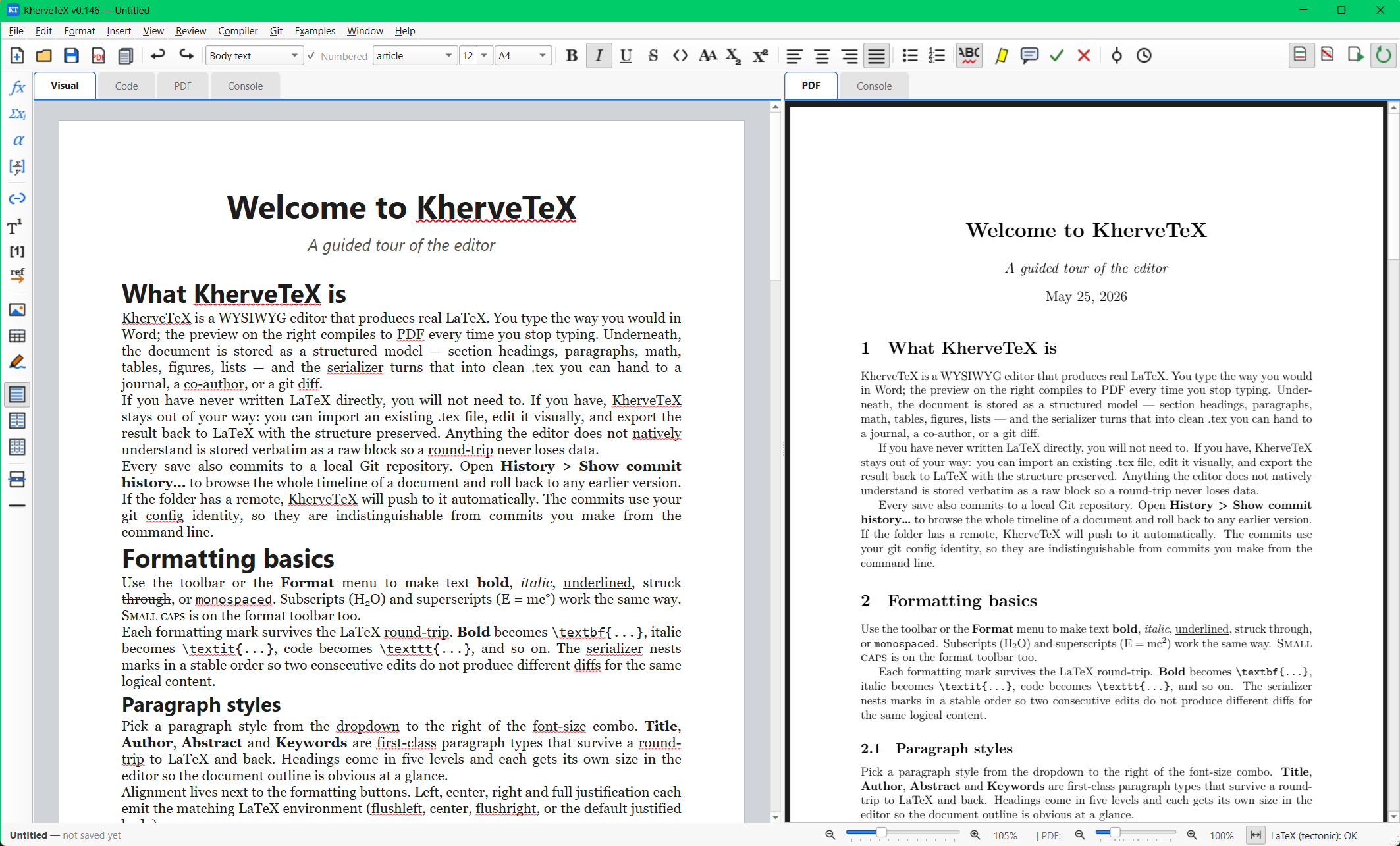
Write in the Visual tab — a page that already looks like the typeset paper — while KherveTeX generates clean LaTeX underneath, with the live PDF alongside it on the side. Math, figures, tables, citations, cross-references and footnotes are first-class, .tex and .docx import are built in, and every save is versioned in Git.
Open the KherveTeX page
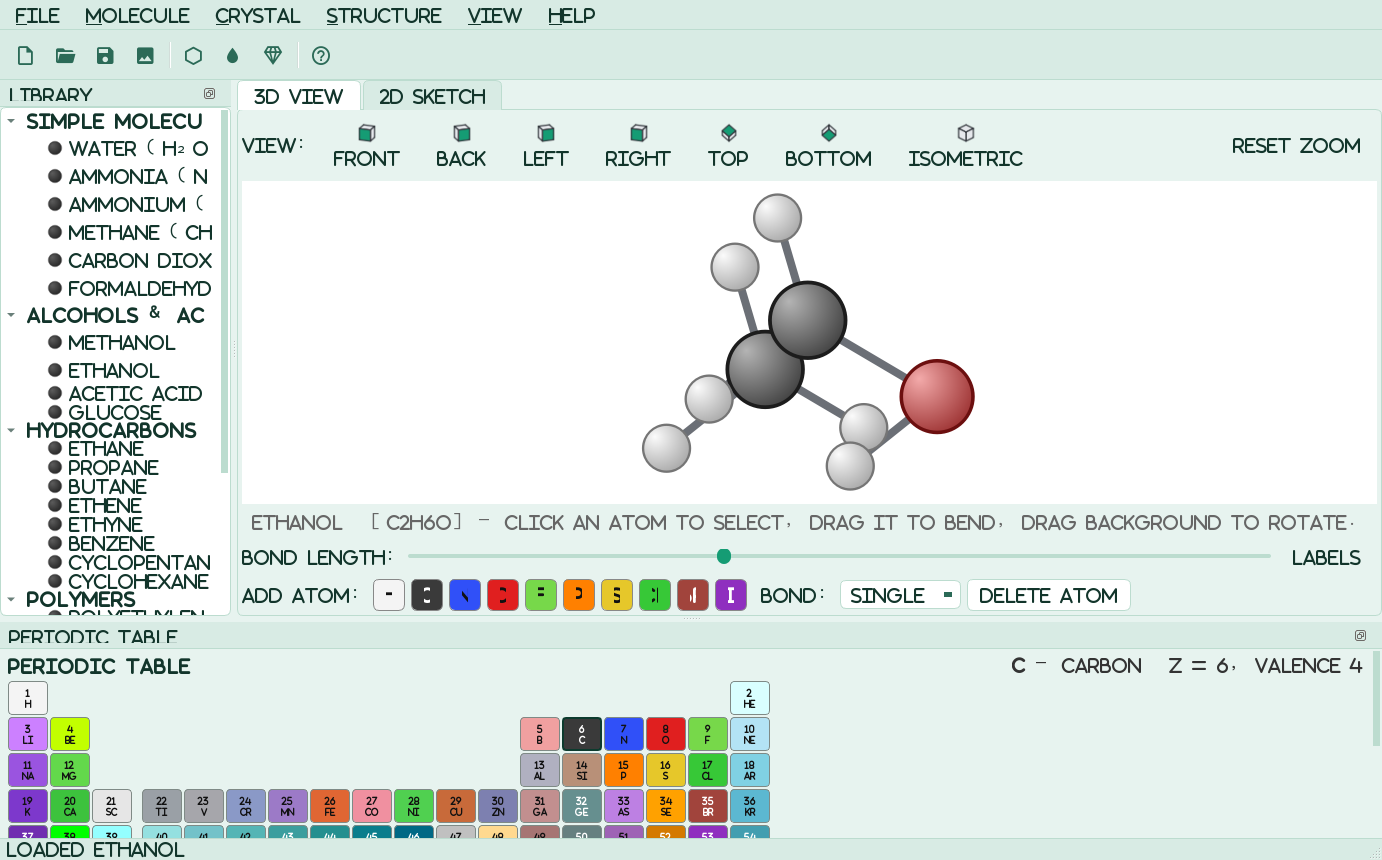
KherveMol
AvailableDraw chemical compounds and crystal structures in 2D and 3D.
A native molecular builder and viewer: a fast OpenGL 3D ball-and-stick model alongside a flat 2D skeletal sketcher, over one shared structure. Build molecules by hand, respecting each element's valence, or pick from about 700 molecules, 122 crystals, 60 surfaces, graphene and nanotubes, 40 polymers and 36 balanced, animated reactions. Export 3D-print and mesh files, chemistry files and editable SVG for KhervePaint, or let Claude drive it over MCP. RDKit is included, so SMILES and .mol / .sdf / .pdb import work out of the box.
Open the KherveMol page
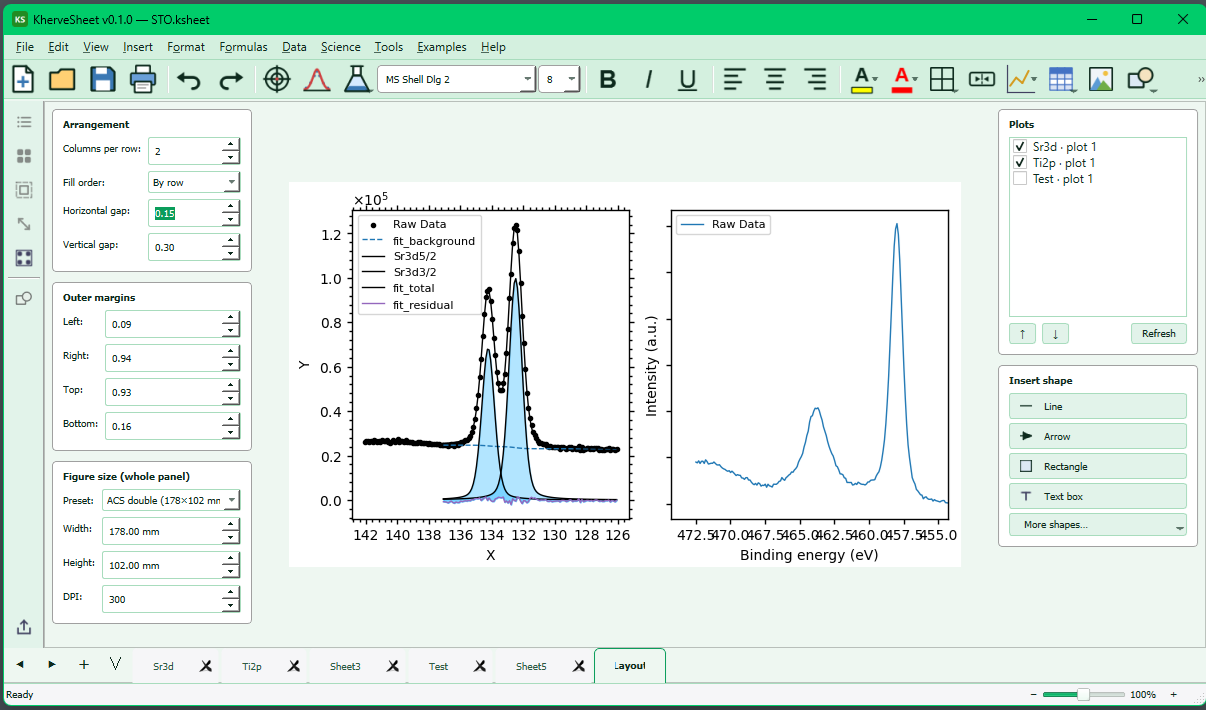
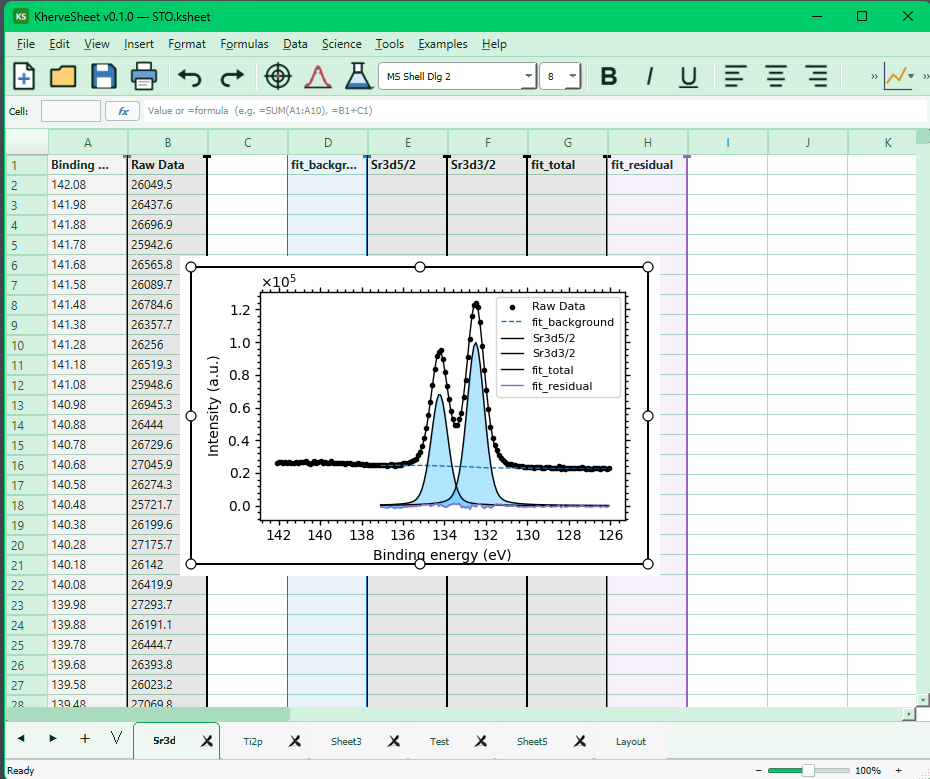
KherveSheet
AvailableAn Excel-inspired spreadsheet workbench for scientific data.
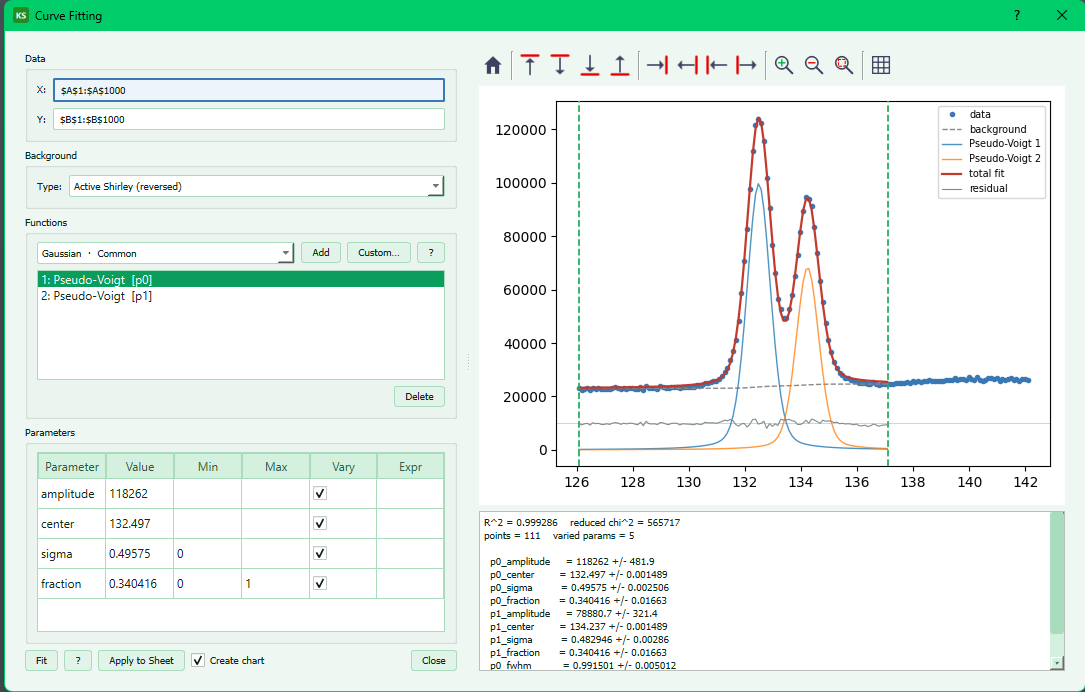
A spreadsheet that speaks science: familiar Excel-style formulas and layout combined with an embedded scientific plotting engine and curve fitting. Import and export .xlsx, fit your data, and produce publication-quality charts without leaving the sheet.
Open the KherveSheet page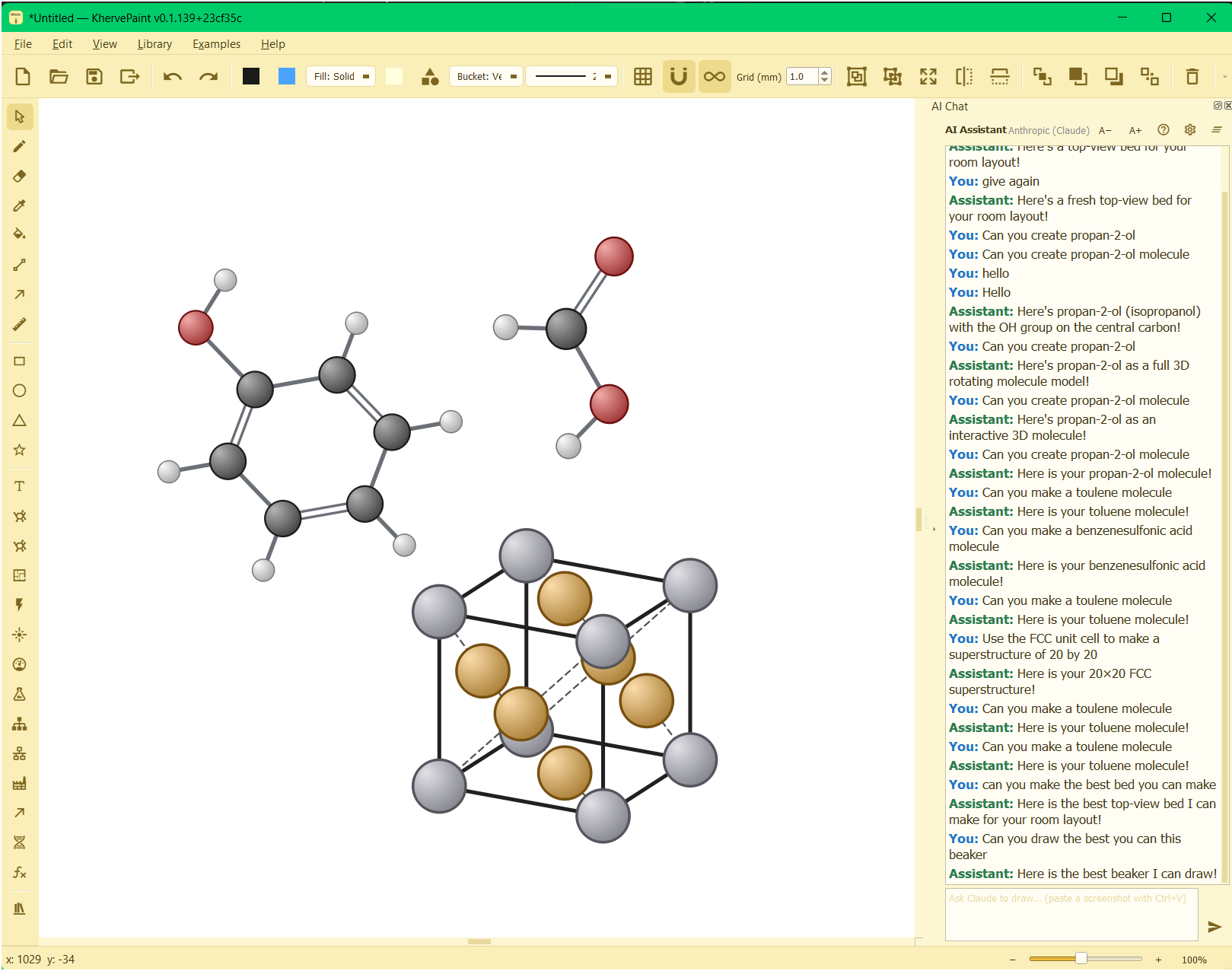
KhervePaint
AvailableDraw anything scientific — by hand, from the library, or by AI.
Everything you expect from a graphics program — every drawing tool, raster and vector layers, grid and snapping, precise dimension lines, and editable-SVG files — and a great deal more. KhervePaint ships a vast library of ready-made objects covering most fields of science, and it draws molecules and crystal unit cells, even stacking unit cells into full superstructures. And its built-in AI assistant will draw for you from a plain-language prompt — ask for a bed, a piece of apparatus, or almost any molecule, and it appears as real, editable shapes on the canvas.
Open the KhervePaint page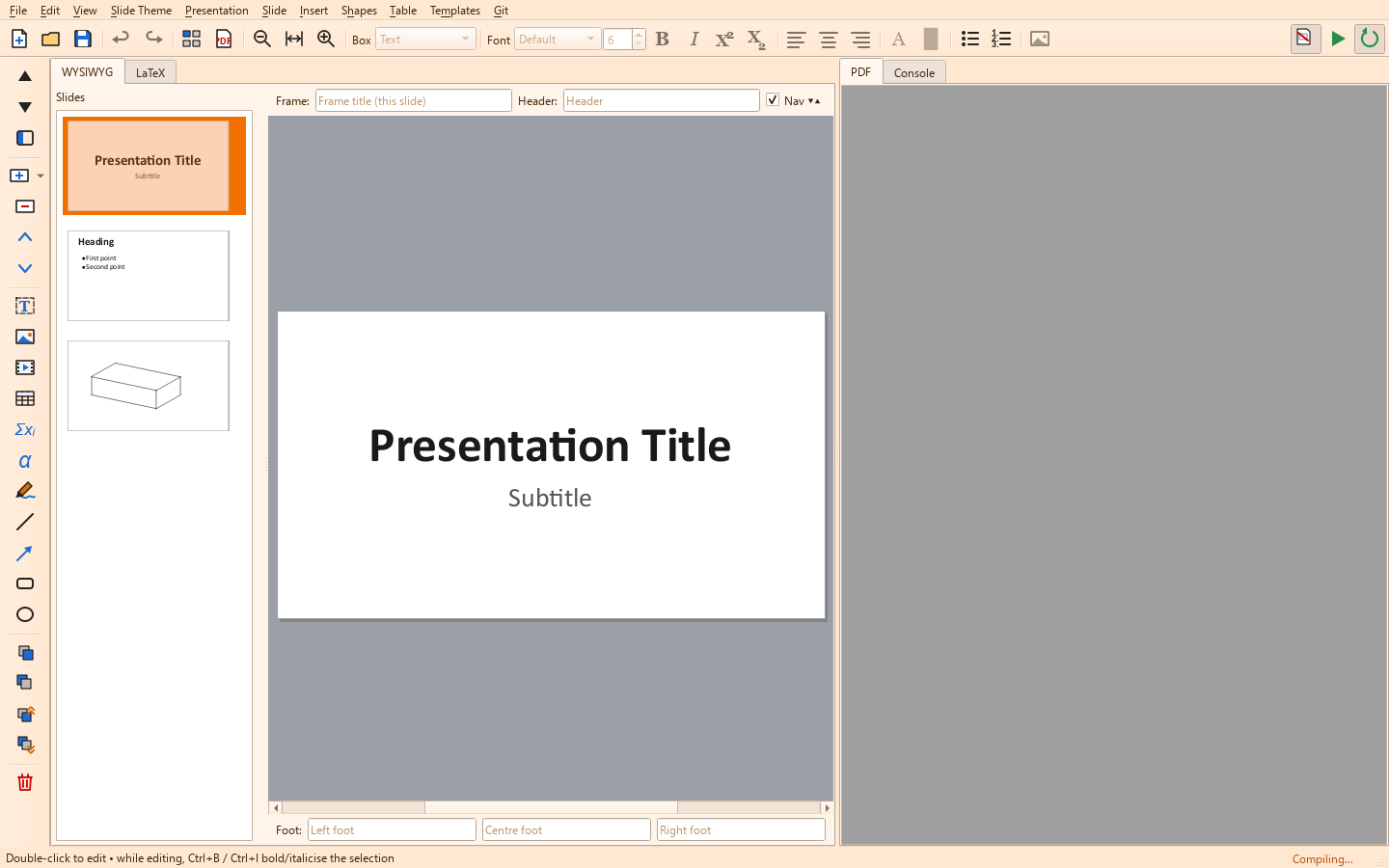
KherveSlide
AvailableA WYSIWYG slide designer that produces Beamer LaTeX.
Drag, resize, and stack text and picture boxes exactly where you want them on the slide; KherveSlide keeps the generated Beamer LaTeX and compiled PDF preview live as you edit. LaTeX-quality presentations without writing LaTeX.
Open the KherveSlide pageKhervePlot
Coming soonPublication-quality scientific plotting.
A dedicated plotting application for publication-ready figures — the same plotting engine that powers KherveSheet's embedded charts, as a standalone tool for exploring and presenting your data.
Open the KhervePlot page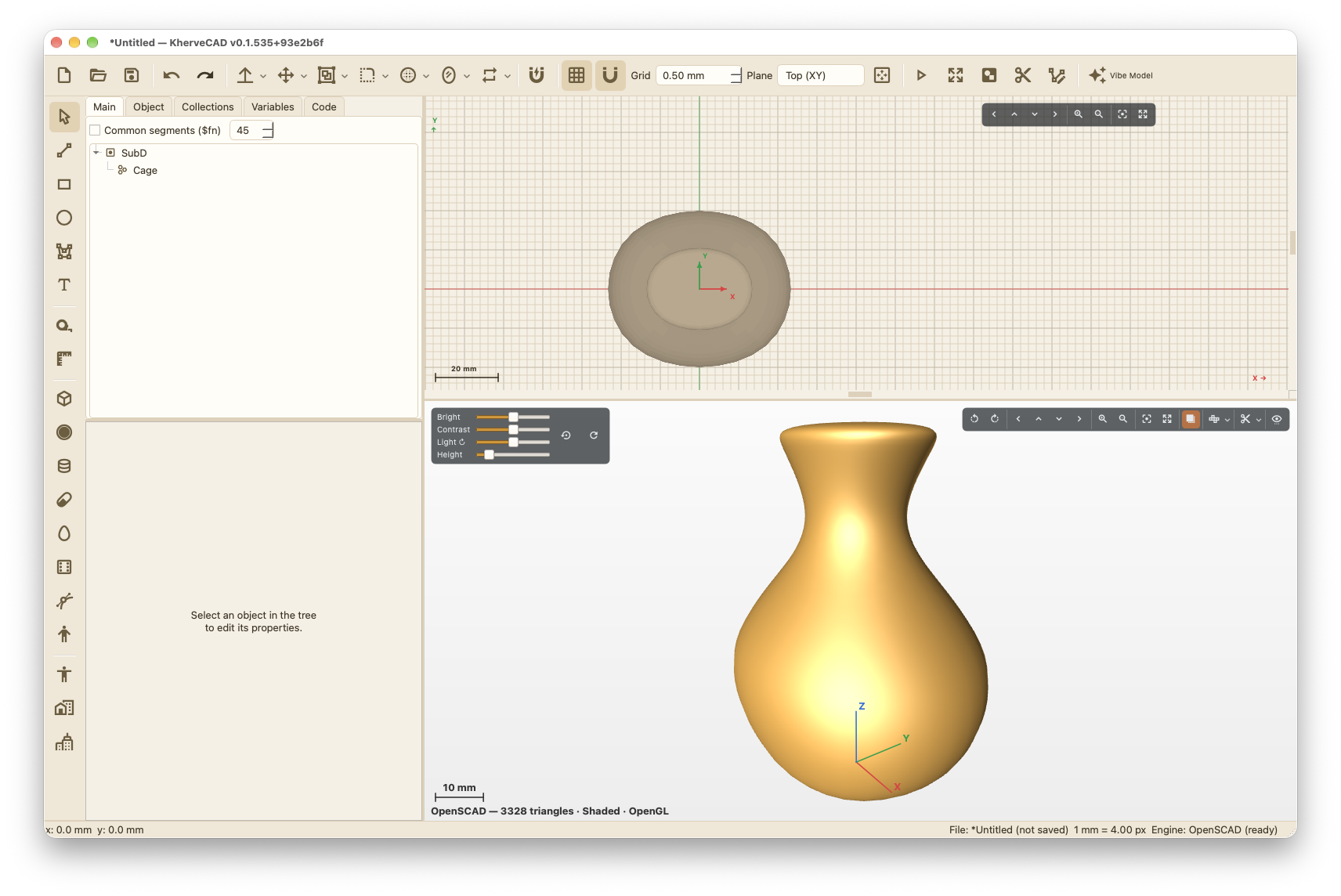
KherveCAD
AvailableVibe design in 3D — describe it, and Claude builds it.
A free CAD app built for vibe designing. Connect Claude and describe a part: it builds it in your open document as real, editable OpenSCAD nodes, looks at the 3D view to check its work, measures it and tests it for printing — then you carry on by hand. Underneath is a full CAD app: an object tree and live code, parts and assemblies with mates, fillets, shells, lofts and sweeps, automatic engineering drawings, a large parts library, and one-click publishing to Printables. OpenSCAD is bundled, so exact geometry works out of the box.
Open the KherveCAD page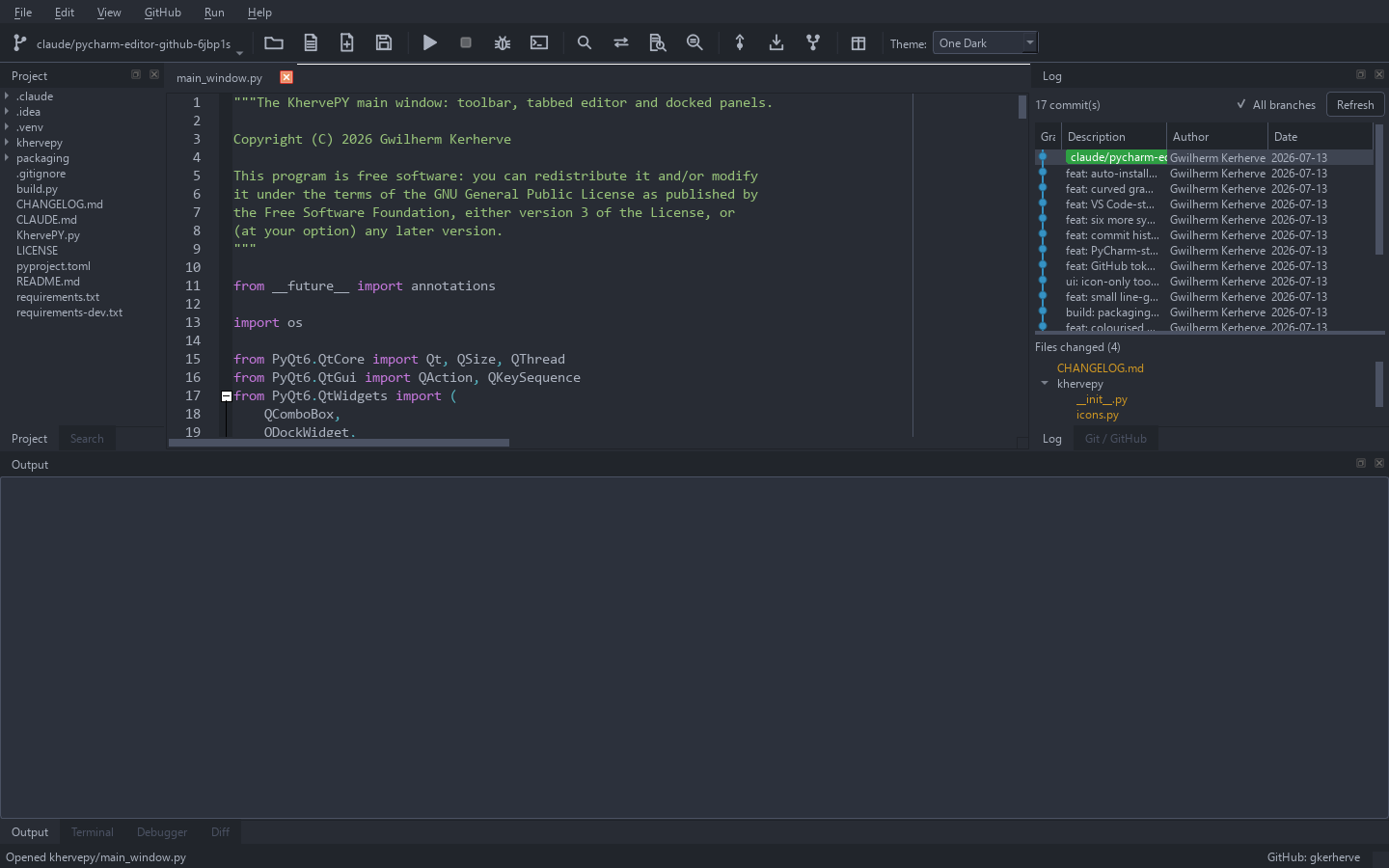

KhervePY
AvailableA lightweight, GitHub-first Python IDE — built for vibe coding.
A small, fast desktop editor built with PyQt6 and QScintilla — intentionally lighter than PyCharm or VS Code, focused on reading and editing code with strong highlighting and a first-class Git/GitHub workflow. Stage, commit, push, clone, and fork without leaving the window; manage virtualenvs and pip packages; and run your file with captured output. A second, minimal interface strips away the panels for distraction-free vibe coding with an AI assistant.
Open the KhervePY page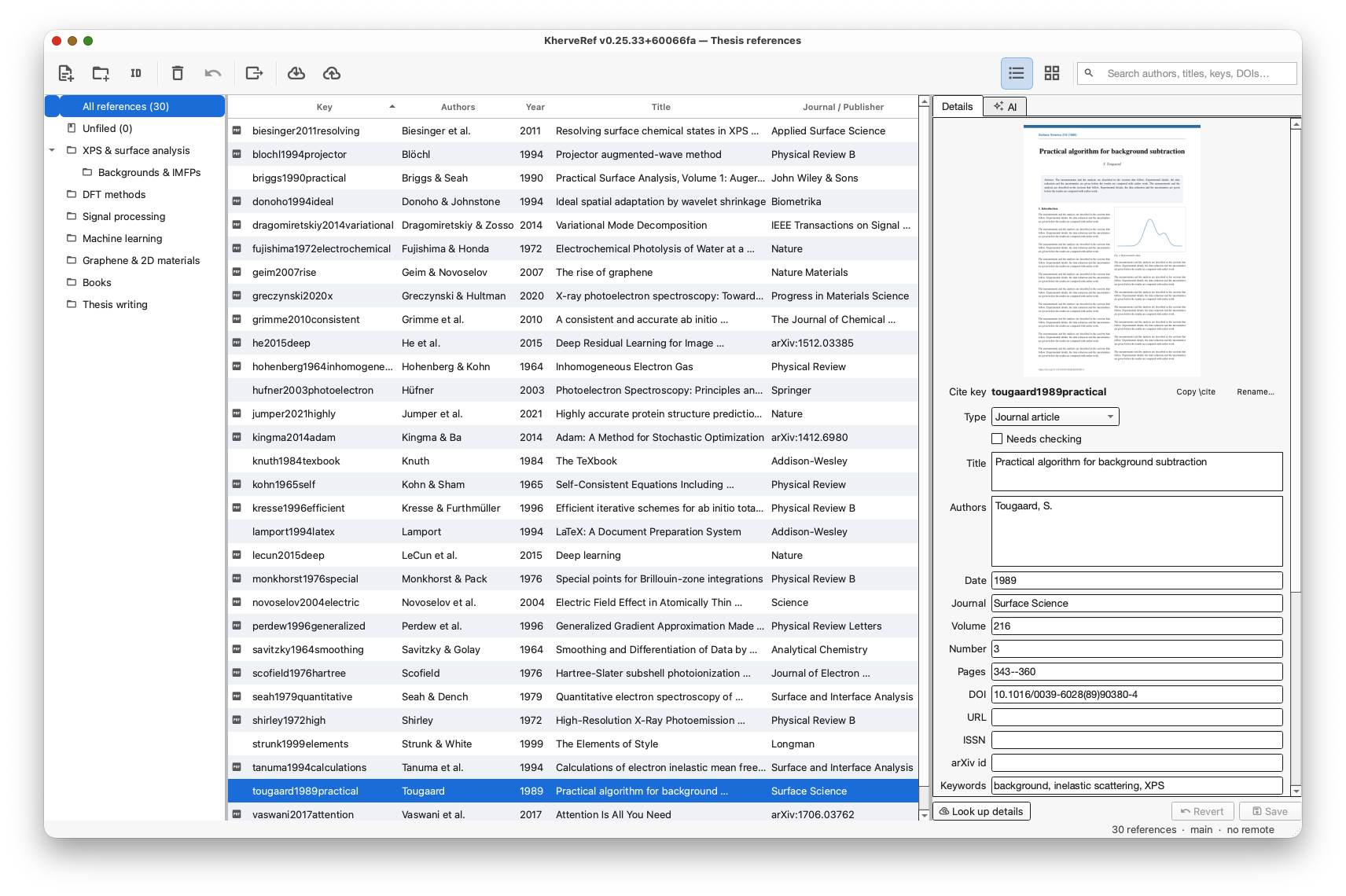

KherveRef
AvailableA free reference manager for LaTeX and Word — an alternative to Zotero and Mendeley, Git-synced and AI-ready (local AI and Claude over MCP).
A reference manager that ties KherveTeX and KhervePDF together. A library is an ordinary folder — a .kref file, a PDFs folder with every paper named by its citation key, and a library.bib — versioned with Git and synced to any Git remote, so two computers editing different references merge cleanly. Drop PDFs, folders, DOIs, arXiv ids or ISBNs and KherveRef reads the identifier and fetches the full details; import from Zotero, BibTeX, RIS, EndNote and PubMed. KherveTeX cites straight from library.bib, PDFs open in KhervePDF (whose Add to KherveRef sends papers back), and Word gets formatted citations in over 35 styles or any journal's own.
Open the KherveRef page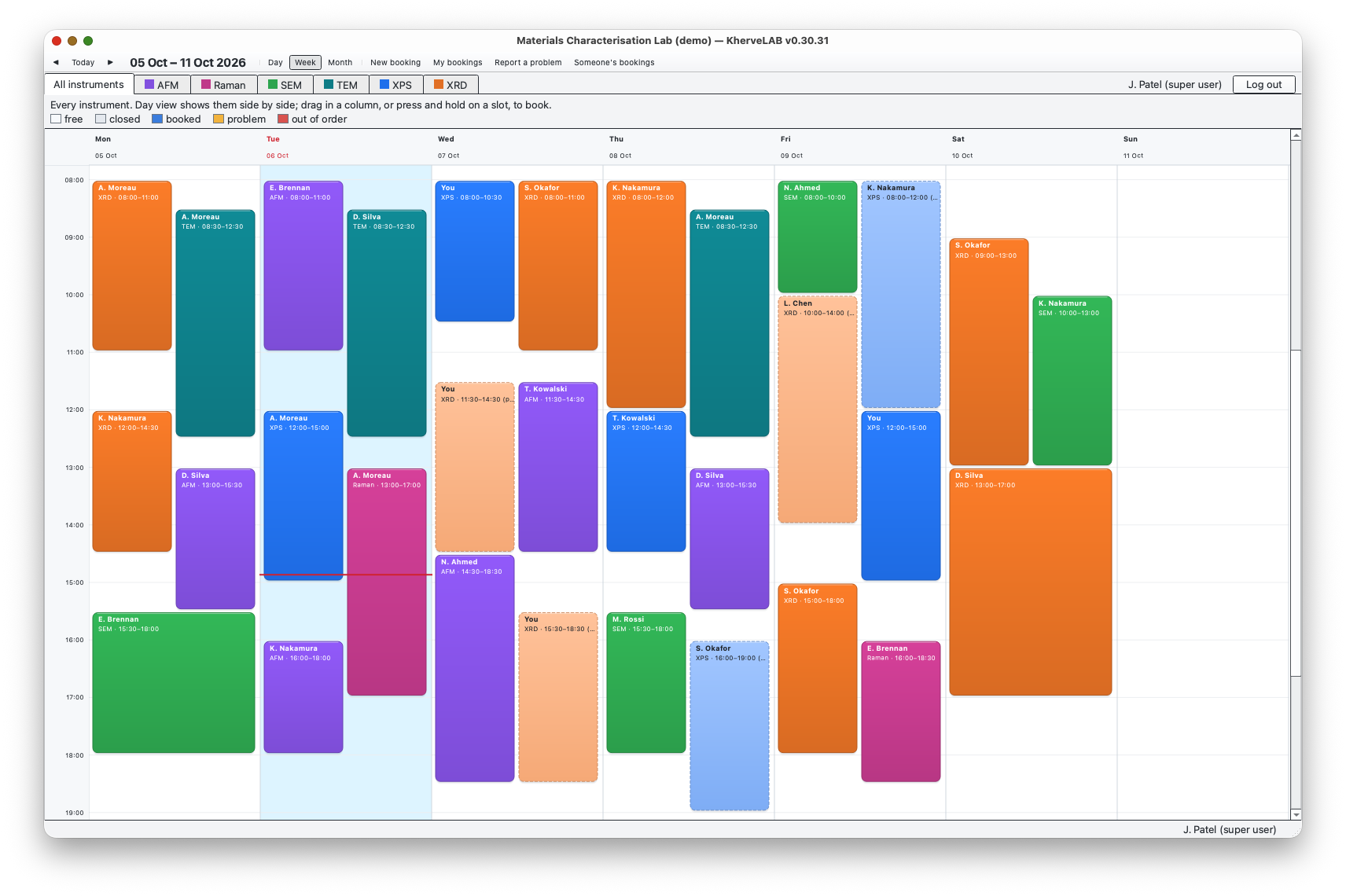
KherveLAB
AvailableBook a lab's instruments, approve requests and bill each user's time.
KherveLAB runs a lab's instrument bookings from the lab computer. Users log in, see the schedule and book time by dragging across a calendar. The lab manager decides how each instrument is booked: free time in slots, or fixed sessions. The manager also sets whether a booking is approved at once, only for trained users, or always by hand, and the hourly rate or session price for each user category. Every booking keeps the price in force when it was made. Reports turn the bookings into finance and usage charts and per-user cost statements (PDF, Excel, CSV). A lab moving from PPMS can import its users, instruments, prices, training and booking history. Optional booking pages let people book from their own browser on the lab network, under the same rules. Claude can act as the lab manager over MCP. Everything is kept in one SQLite file.
Open the KherveLAB page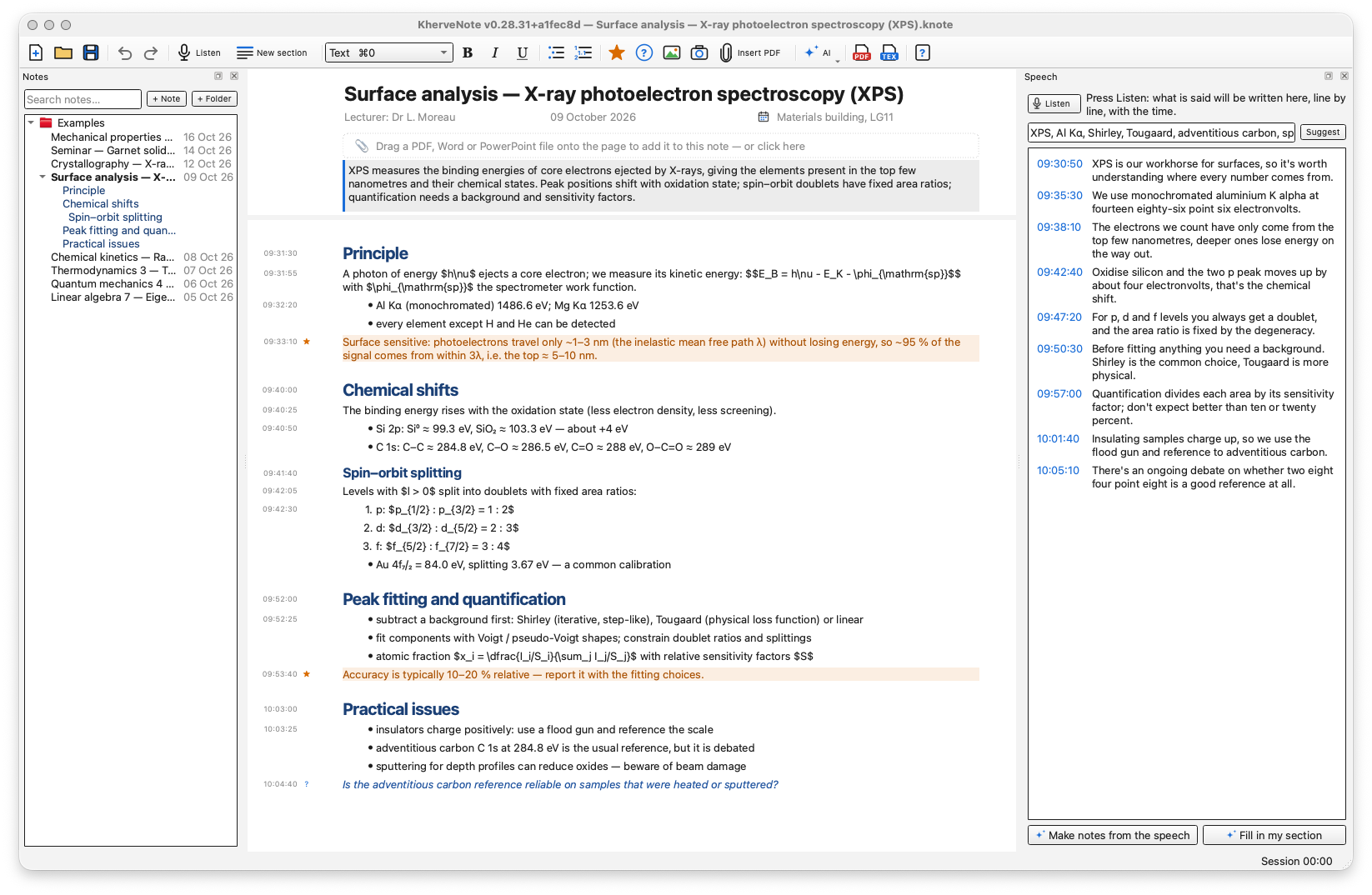

KherveNote
AvailableTake notes while someone speaks — the talk is transcribed on your computer, and Claude helps turn it into a LaTeX / PDF note.
Live notes for lectures, trainings, meetings and talks. You write on one endless page while KherveNote listens: Whisper, running offline on your own computer, writes what is said in a Speech panel beside your notes, line by line with the time of day, and the audio never leaves the machine. Your paragraphs carry the time they were written, so notes and speech stay linked. Mark sections as the talk moves on, add key points, questions, equations, camera pictures and attached PDF, Word or PowerPoint documents (PDFs open in KhervePDF, which comes with it). Then let Claude — over MCP, from Claude Desktop, Claude Code or Cursor — or a local AI (Ollama) read the speech and fill in each section with what your notes missed, or make notes from the whole talk. Export a clean LaTeX note and a continuous PDF — one page as long as the note, with a bookmark per section — or A4 pages for printing.
Open the KherveNote pageBy a scientist, for scientists
Built in the lab
Every tool exists because it was needed for real research work — fitting spectra, writing papers, making figures, keeping data organised. Function first.
Built in Python
A modern stack of well-known scientific Python libraries, purpose-built for research rather than repurposed from something else.
Independent
Made by researchers who use these tools every day — with the workflows, shortcuts, and details that matter in real analysis.
One family
Shared themes, shared workflows, shared file philosophy — and KherveBook at the centre, growing into a single workspace that hosts them all.