KherveTeX
AvailableWYSIWYG document editing that produces beautiful LaTeX PDFs.
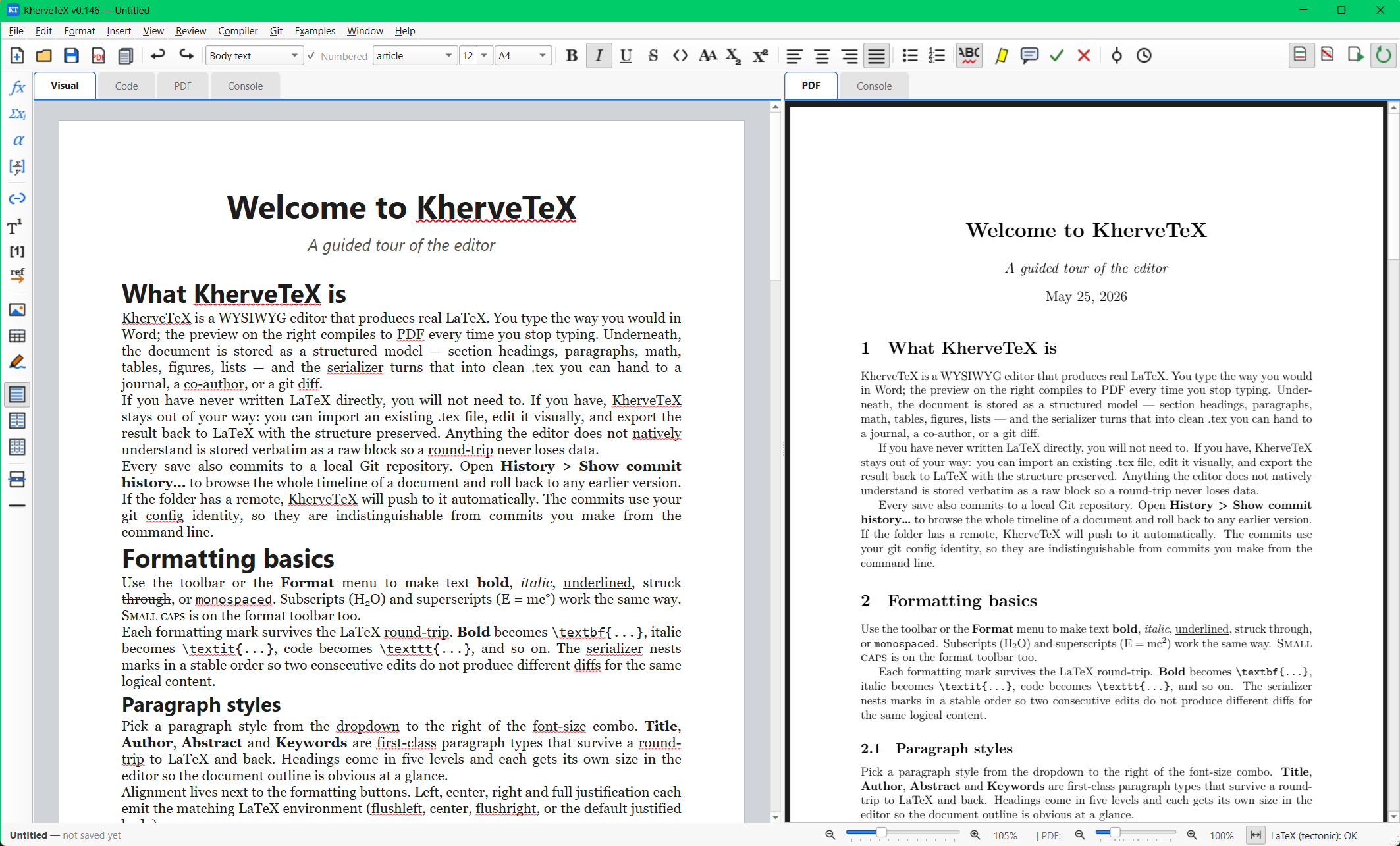
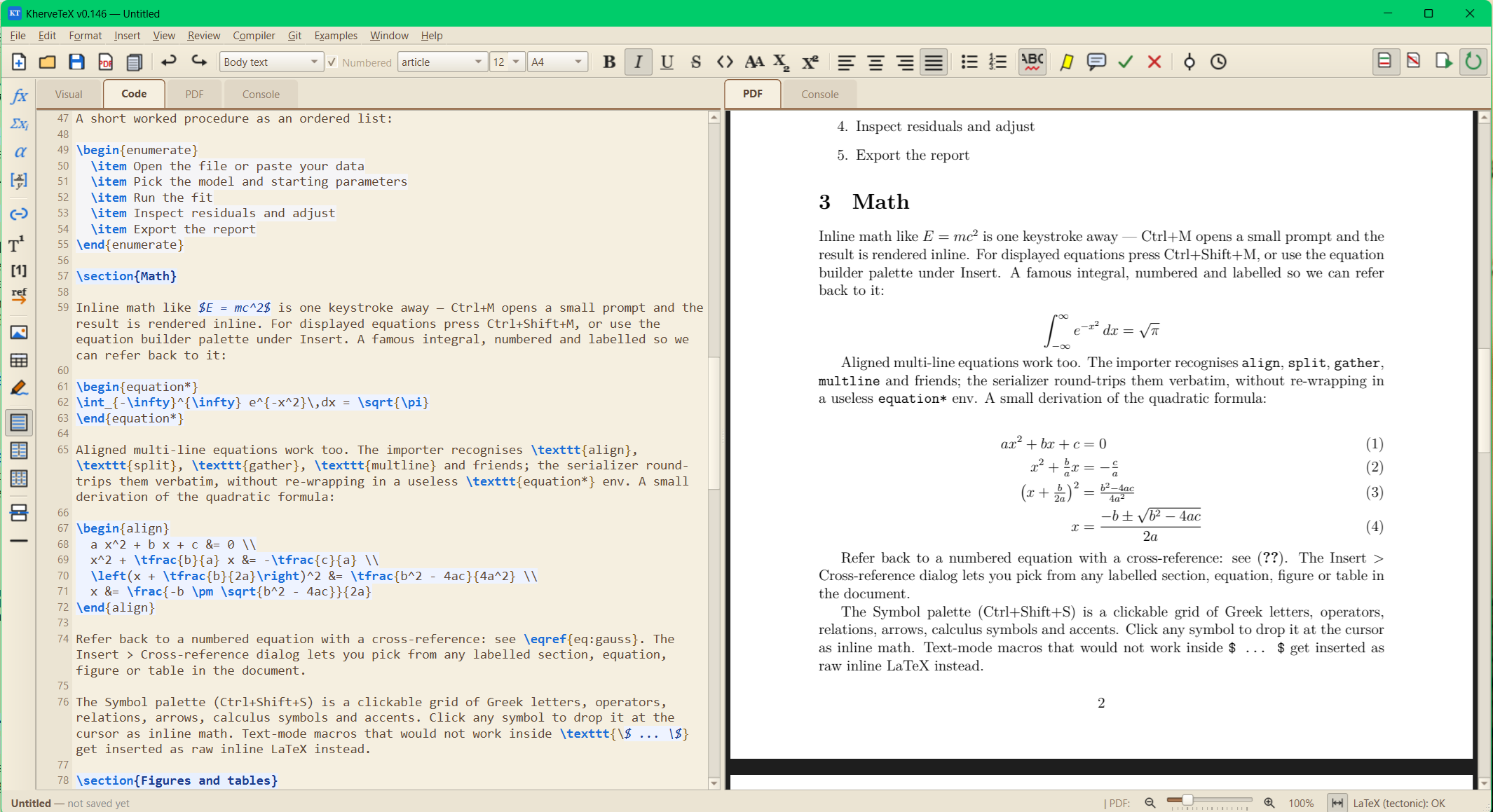
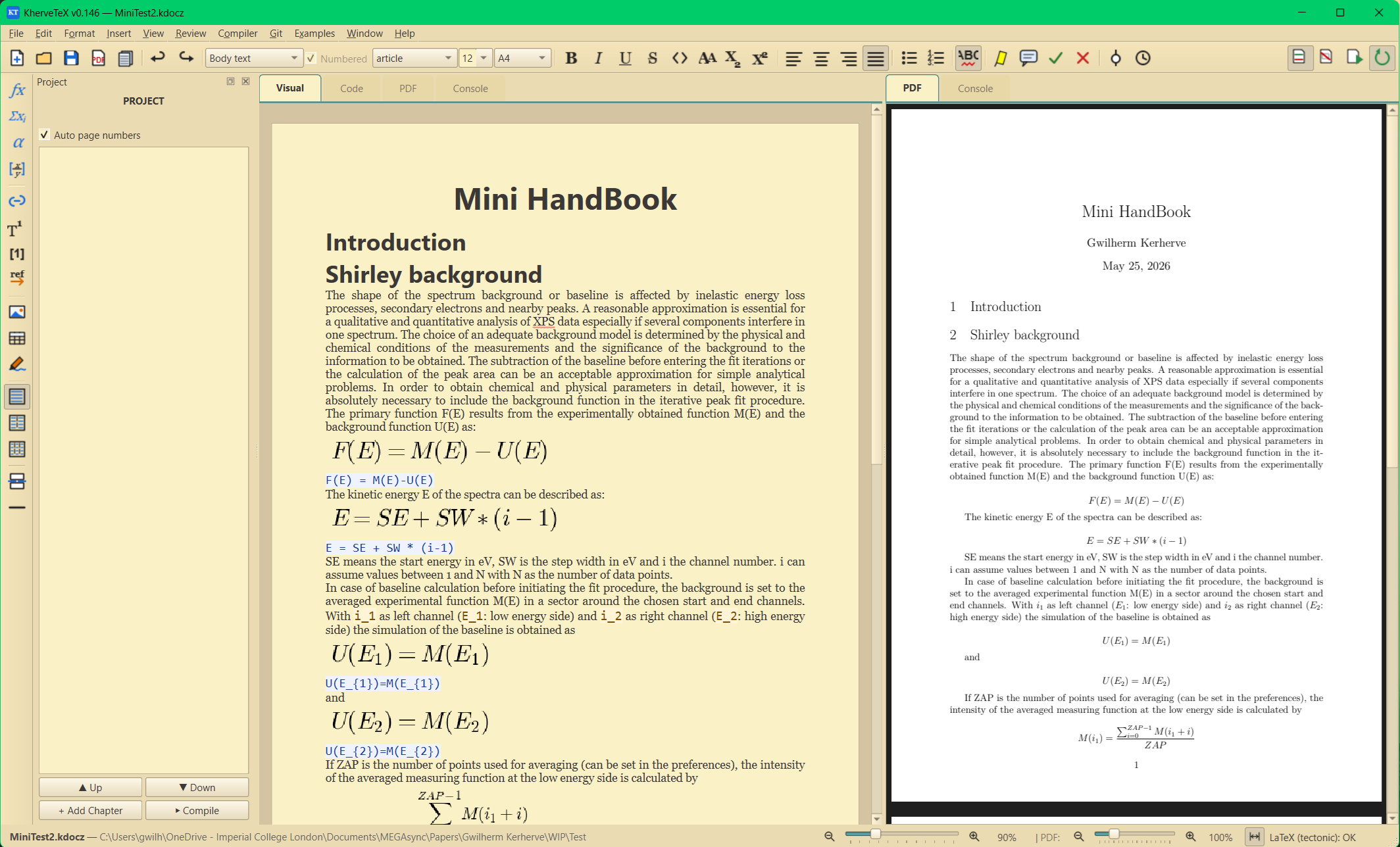
Write in a Word-style page view while KherveTeX generates clean LaTeX underneath — with live source and PDF preview tabs. Math, figures, tables, citations, cross-references and footnotes are first-class, .tex and .docx import are built in, and every save is versioned in Git.
Attributes
- Word-style page card at real A4 / Letter / Legal size, with visible page-break lines
- Paragraph styles (Title, Heading 1–5, Body) and full inline marks — bold, italic, code, small caps, sub/superscript
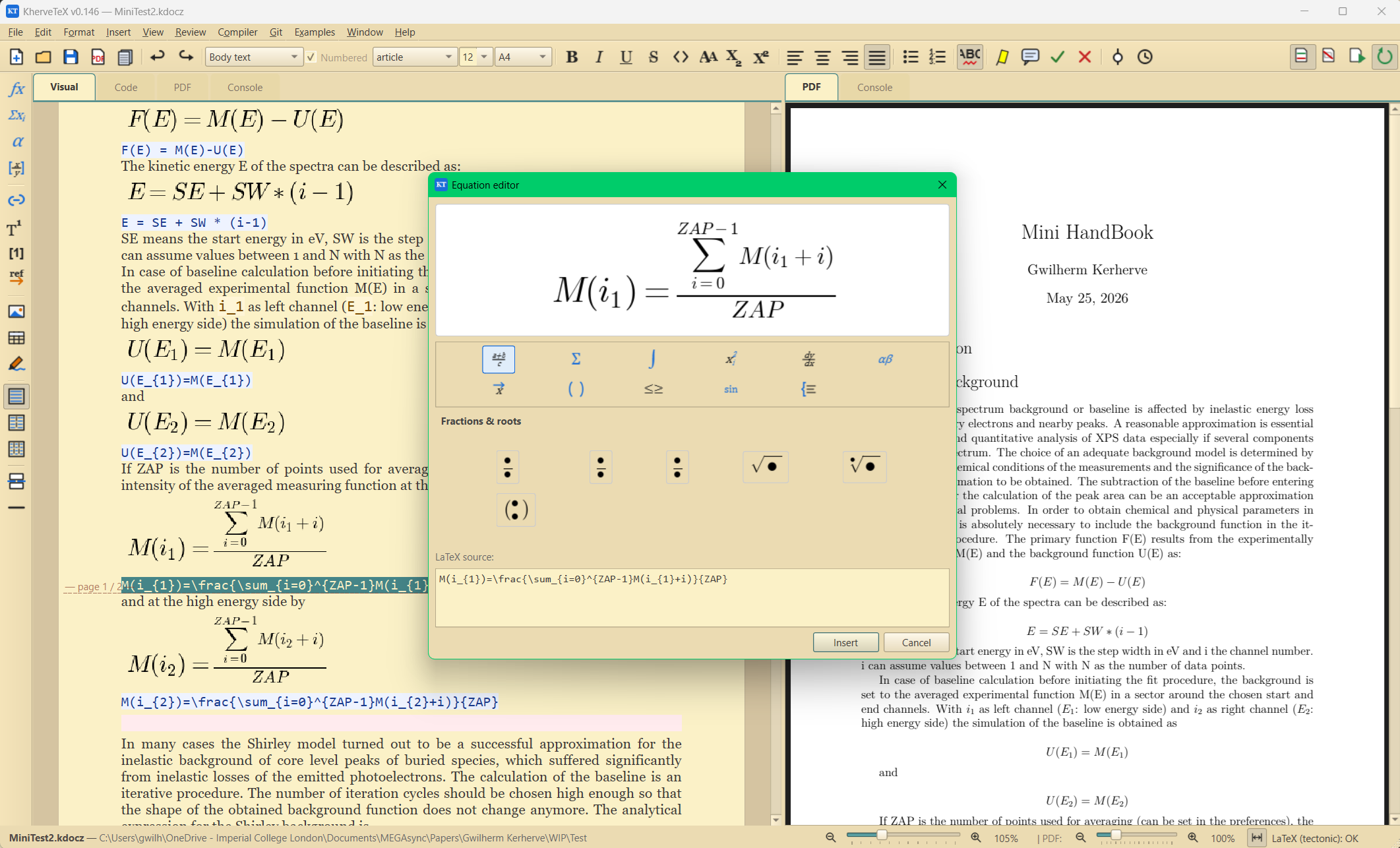
- Inline and block math, typed as LaTeX and rendered live
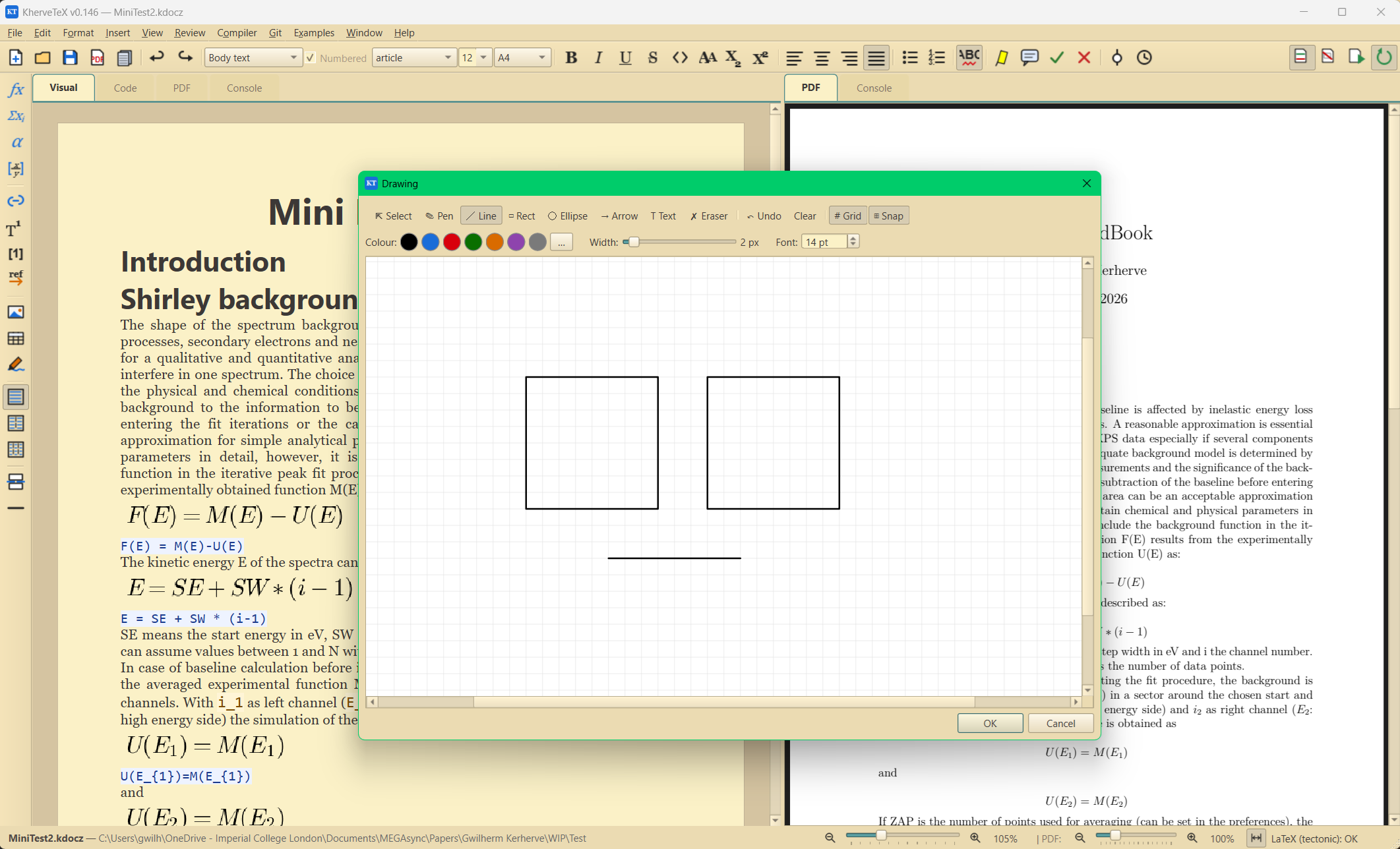
- Figures with captions and labels, tables, footnotes, citations, cross-references, hyperlinks
- Three live tabs: Formatted (WYSIWYG), LaTeX source, compiled PDF preview
- Import .tex and .docx (embedded images extracted automatically); export .tex and .pdf
- Raw LaTeX escape hatch when you need full control
- Git-based version history — every save is a commit
Built with
A modern stack of well-known scientific Python libraries.
Documentation
Getting started
Install the requirements and run kherveDOC.py, or use the Windows installer. You write on a page card that matches real paper sizes; the LaTeX and PDF tabs update live as you type.
Math and science writing
Insert inline math or display equations and type LaTeX directly — they render in place. Citations (cite / citep / citet), cross-references (ref / eqref / pageref) and footnotes work the way LaTeX users expect, without leaving the WYSIWYG view.
File formats
The native format is .ktex.json — a JSON serialisation of the document model — with a sibling .tex file always kept alongside. .ktexz bundles the document with its images in one ZIP. Import from .tex or .docx; export to .tex or compiled .pdf.
Version history
Each document gets its own Git repository via pygit2. Saving auto-commits (and pushes to origin when a remote is configured), and the History viewer lets you inspect and restore any earlier version.
Versions
AI panel on by default with a toolbar toggle; equation-editor slot UX.
Part of the Kherve Tools family
Applications made by a scientist, for scientists.